PhotoGenerAI

A little winter world, with you inside

AI Snow Globe Photo Generator

Put yourself, a couple or your pet inside a glass snow globe. Choose a Christmas mantel, winter night or simple keepsake, then generate and download your image.

Try it free without an account. Sign in for up to 10 free credits per week.

Source photo

Or try a sample photo

Starting points
Your snow globe photo
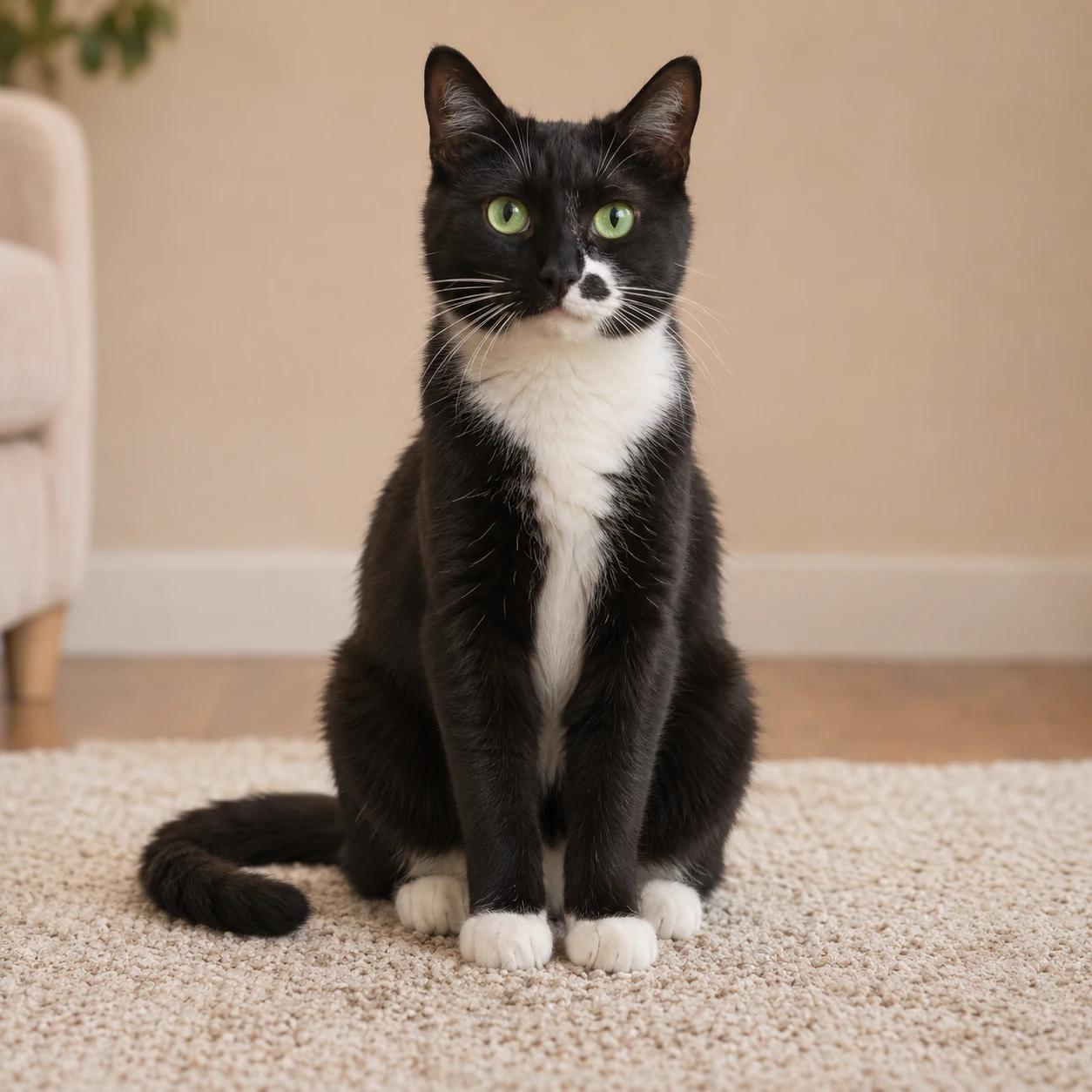
A green-eyed tuxedo cat sitting on a cream rug with its white paws and curled tail visible
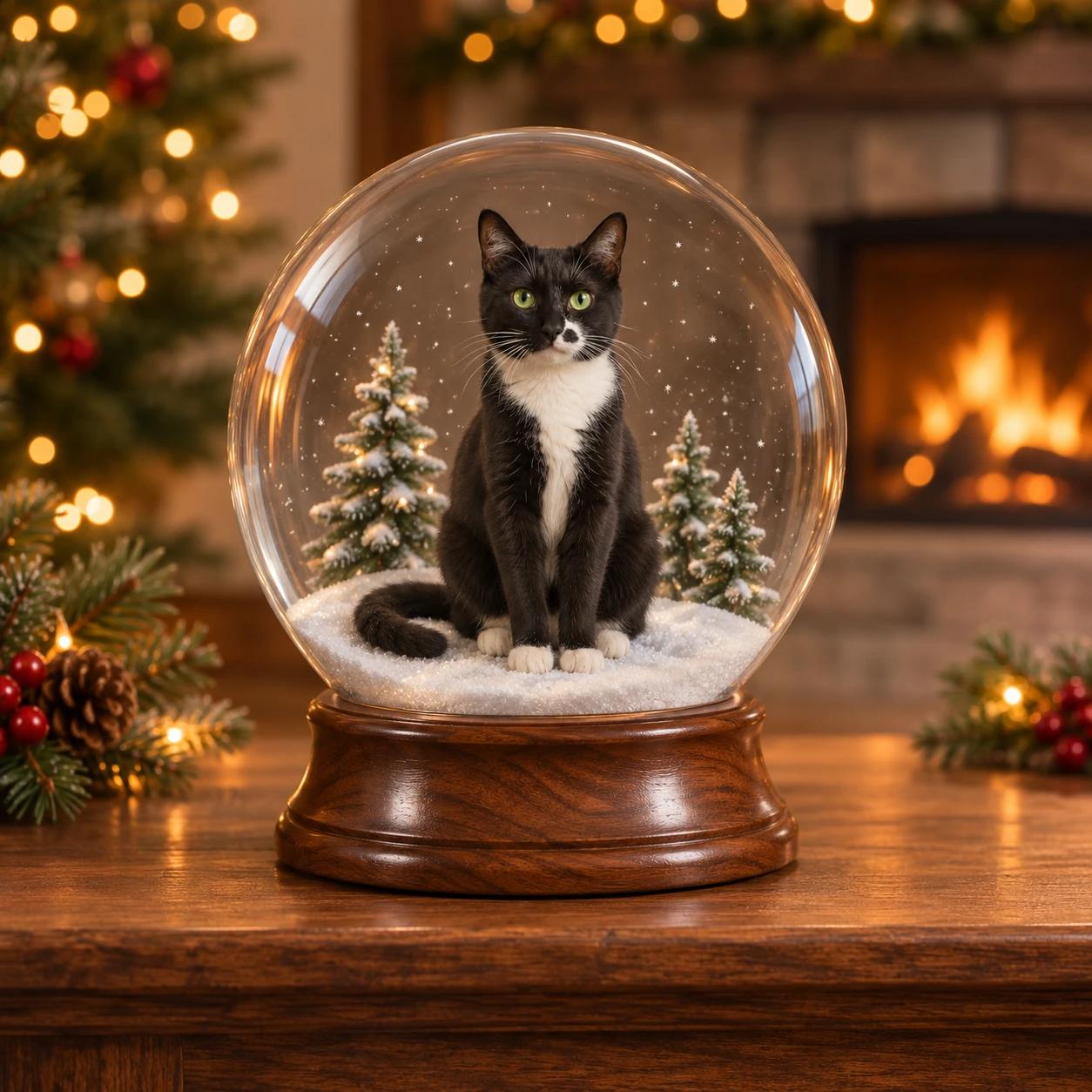
The same tuxedo cat inside a clear snow globe on a walnut base with Christmas lights and a fireplace
Original photoA cozy Christmas mantel

The same pet in two snow globe scenes

Keep the subject recognizable while the miniature world changes around it. Compare the cat's green eyes, white nose patch and paws with the source. The complete globe and base give the final picture its snow globe shape.

A green-eyed tuxedo cat sitting on a cream rug with its white paws and curled tail visible
The same tuxedo cat inside a clear snow globe on a walnut base with Christmas lights and a fireplace
Original photoA cozy Christmas mantel

A cozy Christmas mantel

Warm lights, a wooden base and a few miniature trees make a familiar pet photo feel like a holiday keepsake. Keep the cat or dog large enough to recognize, with the snow and trees behind it. The clear glass edge matters, but a heavy reflection across the eyes would hide the subject. Use this prompt for a Christmas greeting, then add your message in a layout editor after downloading.

Prompt for this photo

Use the uploaded photo as the subject reference. Preserve each person's recognizable features and expression, or the pet's face, markings, fur and pose. Keep the original number of subjects. Place the subject as a miniature entirely inside a clear round glass snow globe, standing or sitting on snow. Add a few tiny snow-covered fir trees inside the globe. Set the globe on a polished walnut base and a wooden mantel, with warm Christmas lights and a softly blurred fireplace behind it. Use cozy amber light and realistic fur or skin texture. Show the entire glass globe and its base with room around the edges. Use subtle glass reflections and sparse small snowflakes that leave every face clear. No extra subjects, text, plaques, watermark or collage. Create one finished photographic image.
A green-eyed tuxedo cat sitting on a cream rug with its white paws and curled tail visible
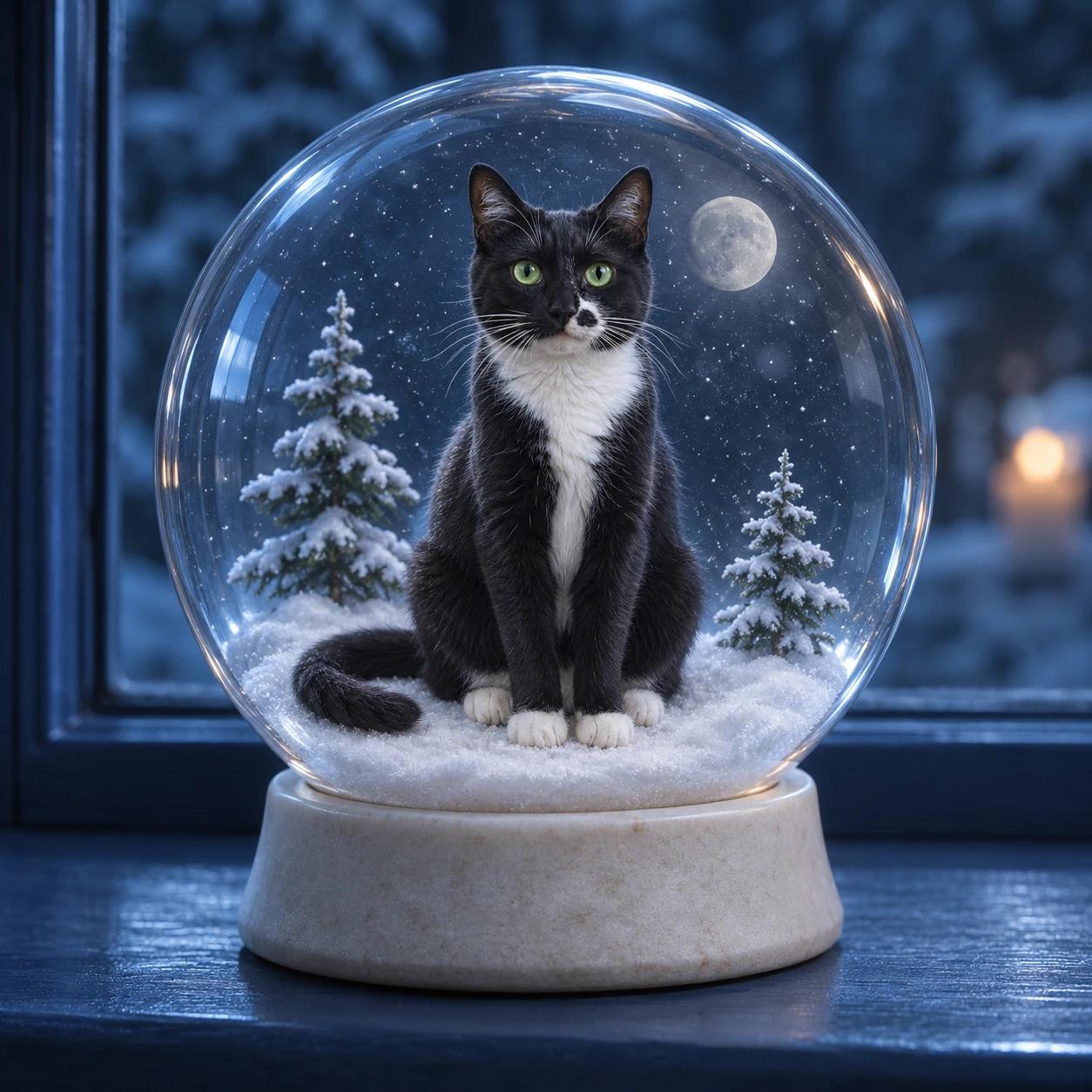
The tuxedo cat in a moonlit blue snow globe on a pale base with small snow-covered trees
Original photoA quiet winter night

A quiet winter night

A blue winter palette works when you want a snow globe picture without Christmas ornaments. The pale base, small moon and fine snow leave the pet as the center of the scene. Keep the subject's markings and seated pose in the instructions. If the glass gets cloudy or the snow hides the face, ask for fewer flakes and clearer glass before adding more decoration.

Prompt for this photo

Use the uploaded photo as the subject reference. Preserve each person's recognizable features and expression, or the pet's face, markings, fur and pose. Keep the original number of subjects. Place the subject as a miniature entirely inside a clear round glass snow globe, standing or sitting on snow. Add two miniature fir trees and a small silver moon behind the subject. Use a pale stone base on a dark blue windowsill, cool moonlight and a softly blurred winter night outside. Keep the scene calm in blue and silver, with no Christmas ornaments. Show the entire glass globe and its base with room around the edges. Use subtle glass reflections and sparse small snowflakes that leave every face clear. No extra subjects, text, plaques, watermark or collage. Create one finished photographic image.

How to use AI Snow Globe Photo Generator

  1. 01

    Choose your subject photo

    Upload a clear portrait, an existing couple photo or a pet picture. Keep faces, ears and important markings visible. A photo with a little space around the subject makes a useful starting point. Try the cat sample if you want to see the workflow before choosing your own photo.

  2. 02

    Choose the little world

    Select Cozy Christmas, Winter night or Simple keepsake. Edit the scene instructions to choose a base, background, lighting and a few miniature details. Image settings starts with a square photo shape. Choose a taller shape there if you want room above the globe for a later greeting.

  3. 03

    Generate and save the image

    Check the credit cost and choose Make my snow globe. Review the face, paws or hands, glass edge and full base. Download the image you like. You can use Continue editing for a small scene adjustment or return to the original subject photo to try a different snow globe style.

What makes a good AI snow globe photo?

The picture needs two clear ideas: a recognizable subject and a miniature world inside glass. Describe the person or pet first, then the snow, globe and setting. Ask for the whole round globe and its base to remain visible. When the glass edge is cut off, the result can look like an ordinary winter portrait instead of a little object on a shelf.

Keep the small world simple. One or two trees, a little snow and a warm background often explain the snow globe effect better than a crowded village. Leave the face clear and make the subject's scale believable inside the sphere. The snow globe generator works from your photo and written description, so the scene is easy to personalize without collecting extra reference images.

Bring a person, couple or pet into the globe

For a person, choose a photo where the expression and hair are easy to see. For a couple, start with a photo of both people together so the image already explains their relationship and relative size. Keep the number of people in your instructions. If you have two separate portraits, combine them in the image combiner first, then use that saved result here.

For a pet snow globe, a seated full-body picture often gives the AI a useful pose. Name the details that identify your pet, such as a white nose patch, one dark ear or a particular fur pattern. Check the paws, tail and ear shapes in the result. The pet should sit inside the globe, with the snow supporting it and the glass surrounding the whole body.

Plan a Christmas card or winter post

Choose the intended photo shape before generating. A square snow globe image works for a simple profile or feed post. A portrait image can leave room around the globe for a greeting. Describe where that clear area should be, such as above the sphere, and keep the background quiet. Add the final message afterward when you want control over wording and typography.

For Christmas, warm tree lights and a wood mantel create a familiar setting. For a winter keepsake, try blue moonlight, a pale base and a small evergreen. Change the scene without asking for a new subject at the same time. This makes it easier to compare whether a different snow globe background still looks right with the face or pet you wanted to keep.

Check the glass and miniature details

Look for a continuous round glass outline, a base that supports the globe and a subject that fits inside. Reflections should help explain the sphere without covering the face. Sparse snow is easier to read than a white cloud. If the globe seems opaque, ask for clear glass, subtle side reflections and fewer flakes. If a tree overlaps the subject, place it farther behind in the instructions.

Open the result at full size before saving. Compare facial features or fur markings with your original, then inspect hands, paws and the edge where the snow meets the base. A generated snow globe picture can change small details, so keep the original photo available. Use a focused revision for a distracting branch or too much snow, and return to the source when the subject itself needs another attempt.

AI Snow Globe Photo Generator questions

Read the Privacy Policy for photo processing and storage details.

Keep working on your photo

Animate your snow globe

Download your image, upload it to the video tool and describe a gentle snowfall or camera movement.

Make a photo diary

Try a different photo keepsake with paper, hand-drawn scenery and little notes.

A tuxedo cat before its snow globe transformationBefore
The cat in a Christmas snow globeAfter

Your next keepsake

Give your favorite photo another story

Try the AI photo generator for another portrait, setting or photo keepsake.

Try your own photo

Put your favorite face in a winter keepsake

Turn your photo into an AI snow globe image. Put yourself, a couple or a pet inside a glass globe with Christmas lights or a quiet winter scene.

Make my snow globe