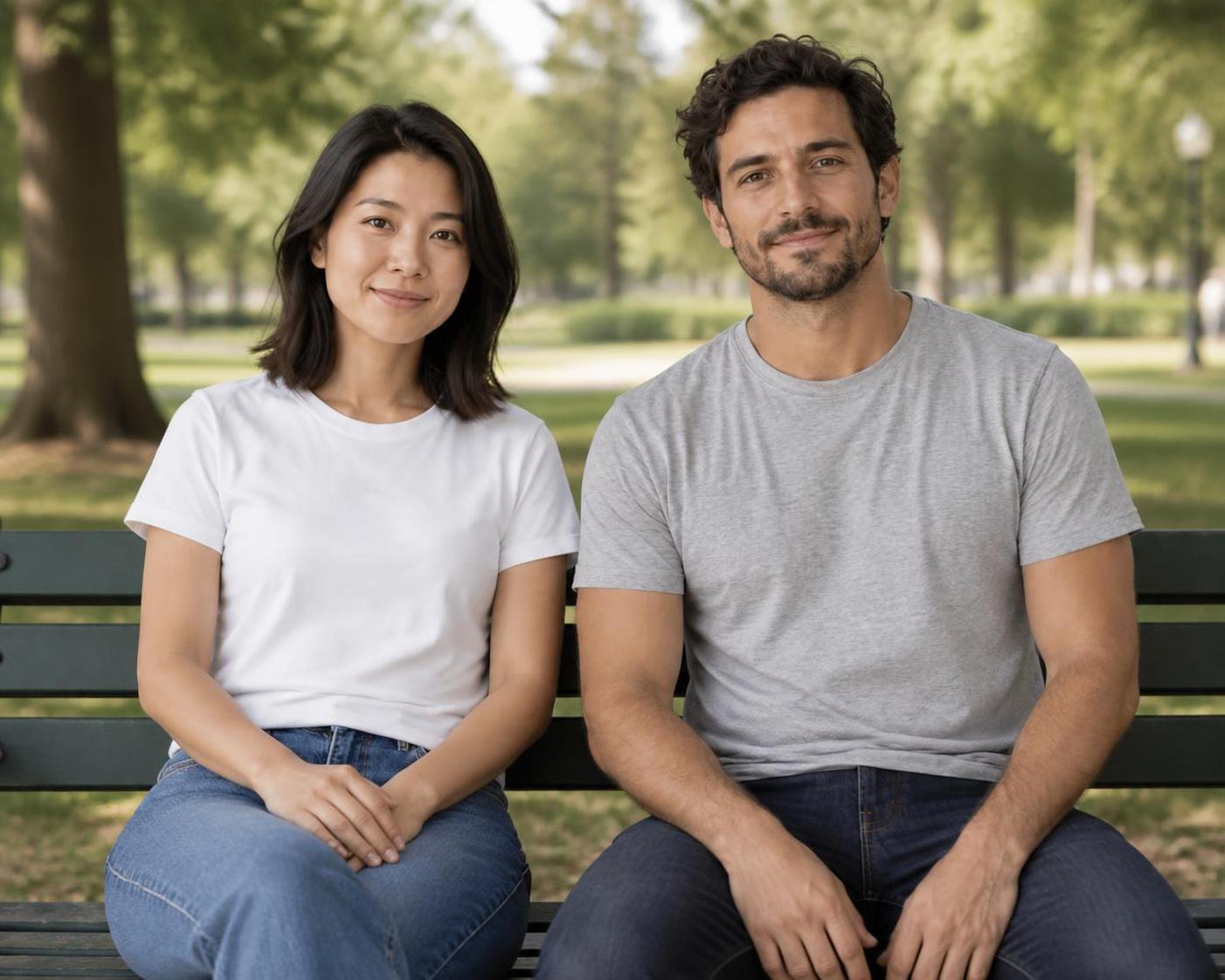
Create a portrait together
Bring two separately photographed people into a relaxed shared setting. Name the positions and keep the first interaction simple.
Keep in focus: Two distinct people, each recognizable from their own source.
Separate photos. One shared scene.
Put two people in one photo, even when they started in different pictures. Upload one photo for Person A and another for Person B, then describe where they should be together. This AI image combiner creates a new shared scene with two distinct people.
Free credits to start · Credit cost shown before generation
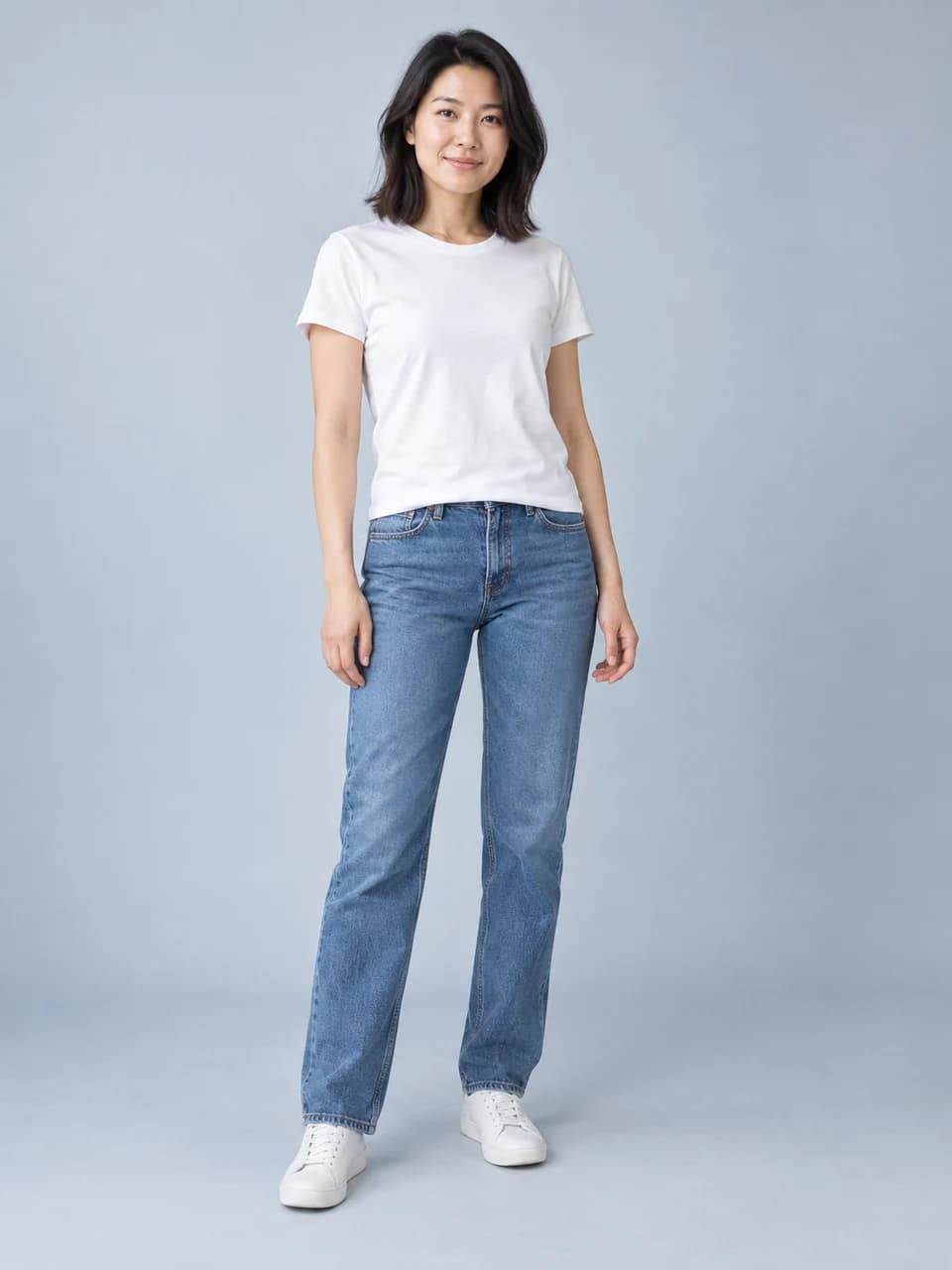 Person A
 Person B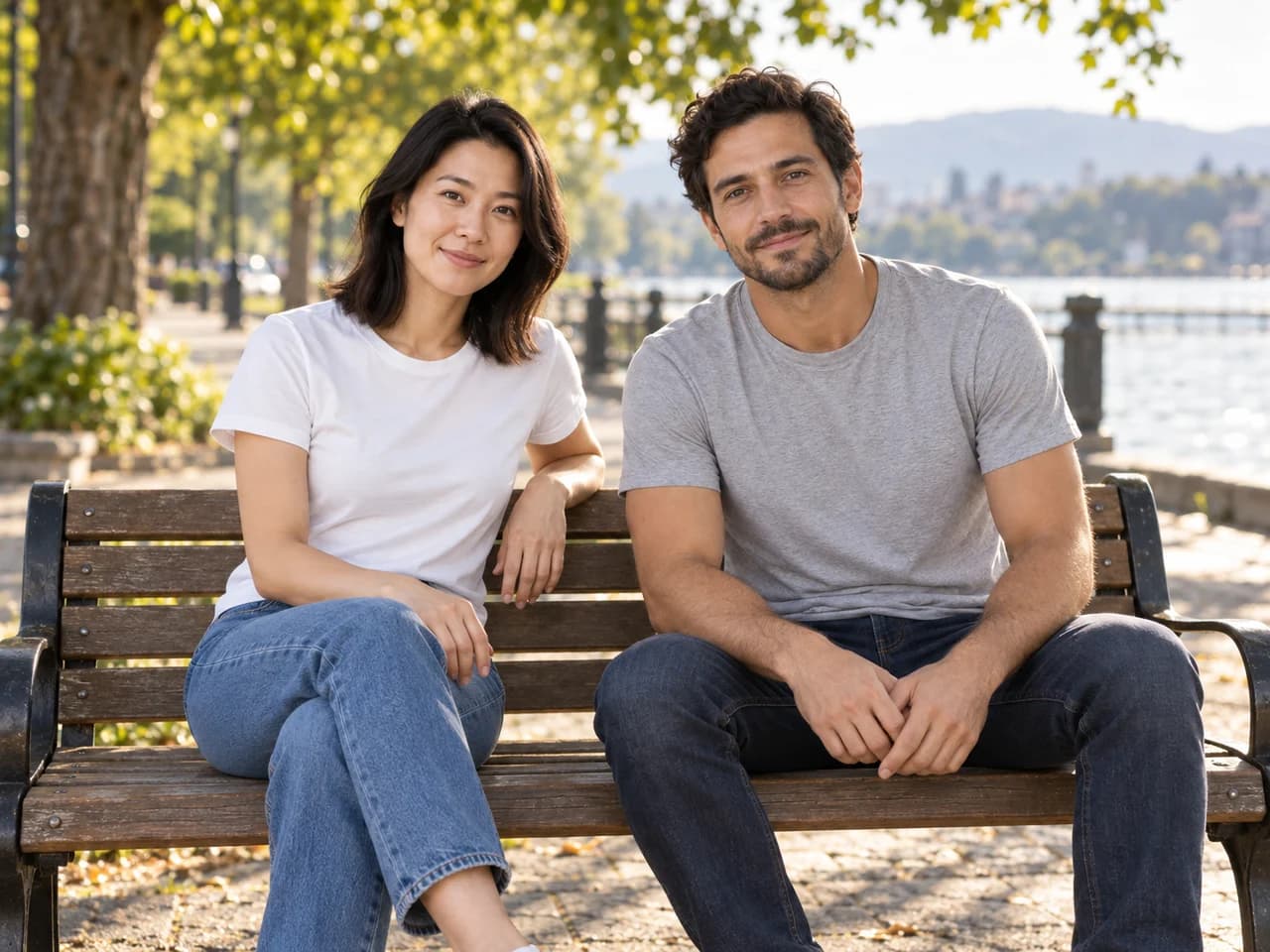
Bring two separate portraits into one moment. Your new photo appears here.
A shared scene works best when the brief explains where each person belongs and how they relate to the camera. Start with two clear portraits, then choose one setting and a simple pose.
Bring two separately photographed people into a relaxed shared setting. Name the positions and keep the first interaction simple.
Keep in focus: Two distinct people, each recognizable from their own source.
Use the first photo as the location and add the second person beside its subject. Describe scale, spacing and where both should look.
Keep in focus: The first scene and both people's individual features.
Use a fictional or playful setting for a card or creative project. Describe the setting separately from the people you want to retain.
Keep in focus: Both identities and a readable composition at the final size.
Start with a photo. Give it a new direction.
Person APerson BA clear face in each source helps the AI image combiner keep the people distinct. A shared eye level, believable proportions and one direction of light make the new setting feel coherent. Begin with a relaxed pose before asking for a more complex interaction.
Create one natural photo of the two people from the uploaded photos sitting side by side on a park bench. Put the person from image 1 on the left and the person from image 2 on the right. Show exactly two distinct people. Preserve both recognizable faces, hairstyles and outfits. Match their scale, eye level and soft afternoon light. Keep their hands resting separately. One shared scene, no panels or borders.
Person APerson B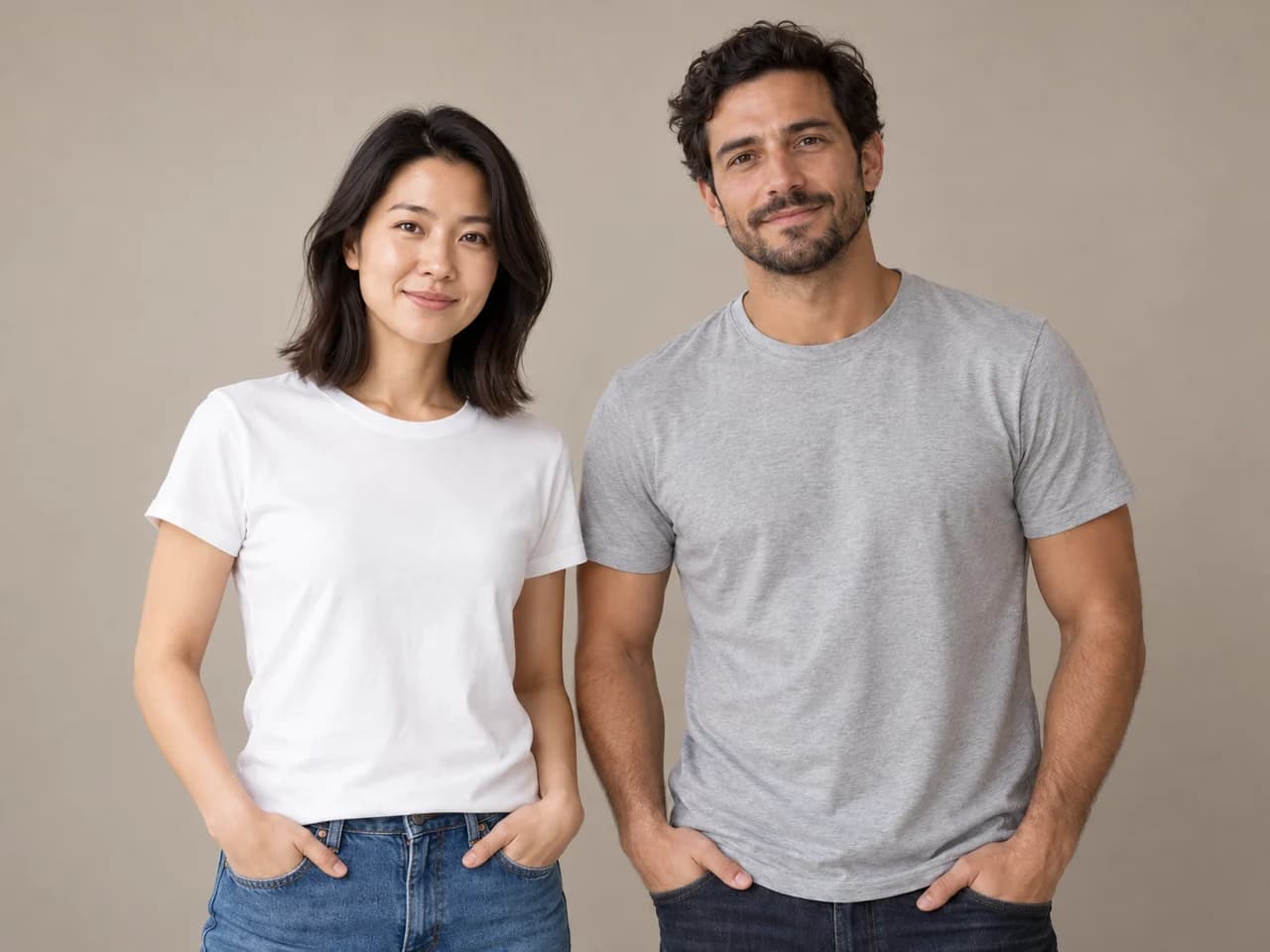
Choose a plain studio setting when the people are the focus. Give each person space and name their position in the image. Compare both faces separately with their source photos; a good overall composition can still hide an unwanted change to one person's features.
Create one waist-up studio portrait of the two people from images 1 and 2 standing side by side against a warm neutral backdrop. Show exactly two distinct people, image 1 on the left and image 2 on the right. Keep both recognizable faces, ages, hairstyles and original outfits. Match the lighting, scale and camera angle. Relaxed expressions, no face blending, no panels or text.
Person APerson B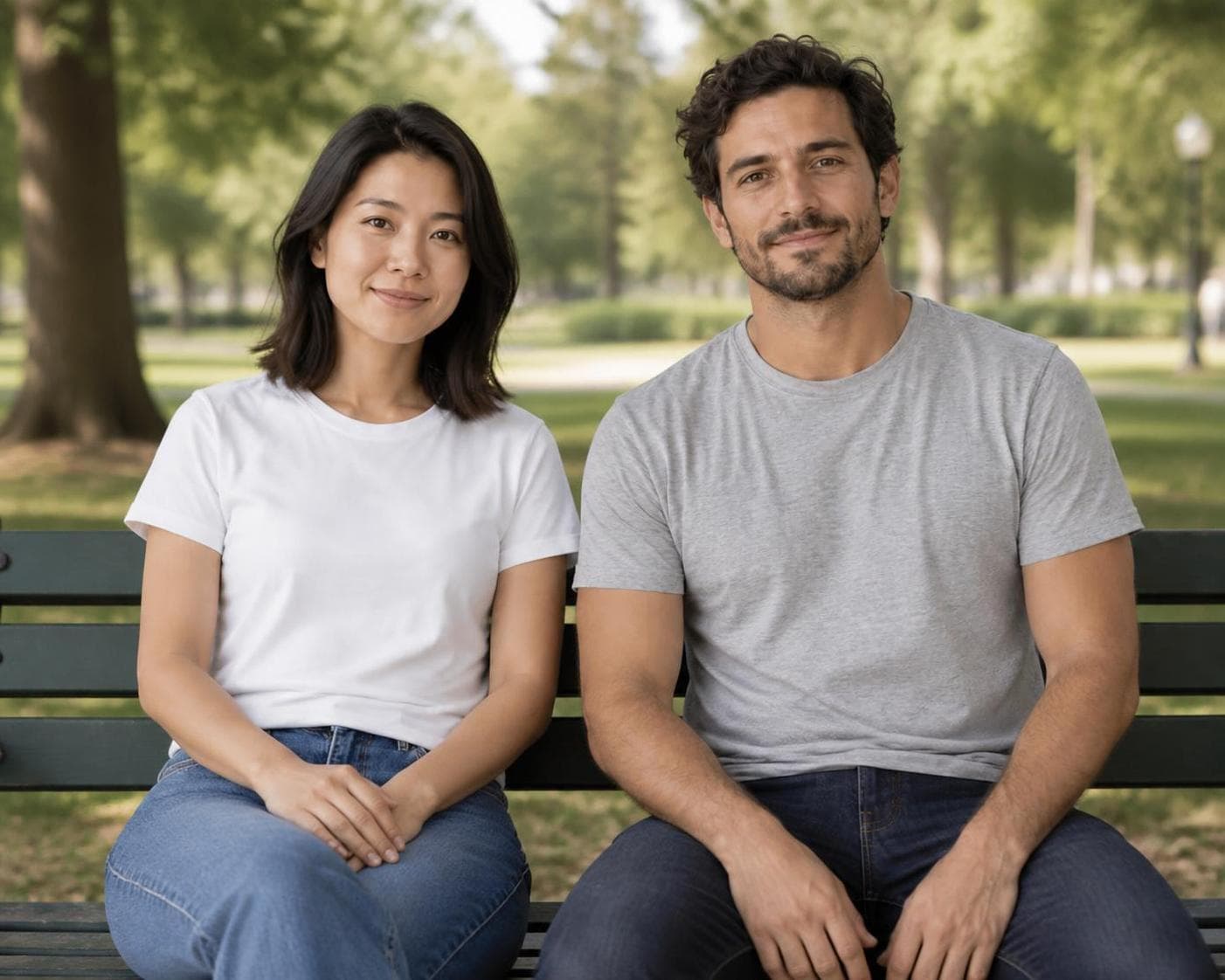
Recorded in PhotoGenerAI ·
The recorded output placed the two source people side by side on a bench, with separate faces and hands resting on their own laps. The left and right assignments followed the brief. Use the full-size result to inspect each person's features independently, including the hair, eyes and facial outline.
The source people are fictional. The returned image below can be downloaded at its recorded resolution.
Create one natural photo of the two people from the uploaded photos sitting side by side on a park bench. Put the person from image 1 on the left and the person from image 2 on the right. Show exactly two distinct people. Preserve both recognizable faces, hairstyles and outfits. Match their scale, eye level and soft afternoon light. Keep their hands resting separately. One shared scene, no panels or borders.
01
Upload the first portrait as Person A and the second as Person B. Choose photos with clear, unobscured faces. Similar camera angles and lighting give the image combiner a more consistent starting point. A photo with only the intended person is easier to describe than a large group picture.
02
Pick a park or studio scene, or keep the first photo's surroundings. Describe the positions, framing and pose. Say that the result should show exactly two distinct people in one photo. The image combiner uses both sources and your request, rather than placing the original files in separate boxes.
03
Review the model, shape and credit cost before generating. Check that both people are recognizable, their relative size makes sense, and faces, hands and clothing remain separate. Download the result you want to keep. For a correction, keep both source photos and adjust the scene request.
These are different ways to combine images. A collage arranges original pictures next to each other, often with visible frames or gaps. A face blend creates a new face that mixes features. This AI image combiner focuses on a third task: two recognizable people appearing together in one newly generated photograph.
That difference matters when you write the prompt. Ask for exactly two distinct people, and refer to Person A and Person B or image 1 and image 2. Describe their left and right positions. If the image combiner returns one blended person, go back to the two original photos and make the count and separate identities explicit.
The combined photo is a new composition. It does not document a real meeting or preserve the original images as untouched layers. If your goal is simply to display two source photos without changing their contents, a conventional collage or layer-based editor is the more direct way to arrange them.
Start with the face in each image. Avoid sunglasses, a hand covering the mouth or a tiny face far from the camera. Clear portraits give the image combiner more visible features to work from. Similar crops are helpful: two waist-up photos are easier to place together than a close selfie and a distant full-body shot.
Look at camera direction and light. If one person is photographed from above and the other from below, the combined image needs to reconcile those viewpoints. If one source is strongly lit from the left and the other from the right, ask for a simple shared lighting setup and inspect the result around the hair and shoulders.
Use photos of yourself or people who have agreed to the edit. For a family, friendship or couple image, choose the two people you actually want to include and keep the request straightforward. This page is designed around two-person photos; uploading more references does not guarantee that additional identities will be kept correctly.
You can keep the setting from the first image or describe a new place for both people. To preserve the first scene, say where Person B should stand and what should stay in the background. For a new setting, describe a surface or seat, the distance between the people and one source of light.
A park bench or a simple studio portrait is a useful first image because each person's position is easy to see. Once you have a composition you like, try a more specific request. Shared objects, interlaced fingers or close facial contact add details that need careful inspection. Check the hands and any overlapping clothing before saving.
If one face looks wrong, avoid solving every issue in the same instruction. First return to the original sources and keep the pose simple. Then request one change, such as more space between the people or a closer crop. Compare both identities again after every new generation, including when only the setting was meant to change.
Choose the brief closest to your goal. Use it with your uploaded photos, replace the scene details and review the request before generating.
A bench gives both people a shared surface and a simple relationship. Separate resting hands keep the first brief focused on the people and scene.
Create one natural photo of the two people from the uploaded photos sitting side by side on a park bench. Put the person from image 1 on the left and the person from image 2 on the right. Show exactly two distinct people. Preserve both recognizable faces, hairstyles and outfits. Match their scale, eye level and soft afternoon light. Keep their hands resting separately. One shared scene, no panels or borders.
A plain backdrop removes distracting scene details. Use clear left and right assignments so each face has an explicit role in the result.
Create one waist-up studio portrait of the two people from images 1 and 2 standing side by side against a warm neutral backdrop. Show exactly two distinct people, image 1 on the left and image 2 on the right. Keep both recognizable faces, ages, hairstyles and original outfits. Match the lighting, scale and camera angle. Relaxed expressions, no face blending, no panels or text.
Keep the surroundings from the first photo and introduce the second person. Tell the model where to place them and inspect perspective and shadows afterward.
Use image 1 as the scene. Add the person from image 2 standing beside the person in image 1. Show exactly two distinct people with both faces clearly visible. Preserve each person's recognizable face, hairstyle and clothing. Keep the first photo's surroundings, match their scale and perspective, and give both people consistent light and natural contact shadows. No collage or blended face.
Compare the result with the originals and identify the main mismatch. Change that part of the brief first so the next image is easier to evaluate.
BeforeAfterMore ways to create
For another photo idea, open the AI photo generator. Combine references, edit a source image or create a new scene from words.
Read our Privacy Policy for image processing and storage details.