PhotoGenerAI

Your face. A new photo session.

AI Photoshoot from Your Photo

Turn a photo of yourself into a new portrait, editorial scene or full-body shot. Choose a photoshoot idea, describe the setting and keep the details that make you recognizable. Start with one clear photo and create one image at a time.

Free credits to start · Credit cost shown before generation

Choose a clear photo where your face is visible. A full-body source helps when you want a full-length result.

Outfit or pose references (optional)
Optional
Model, photo shape & credit cost
Photo shape
2. Your photoshoot idea

Pick a starting point, then edit the place, pose, outfit and light. Say which features of your original photo should stay.

Your photoshoot photo
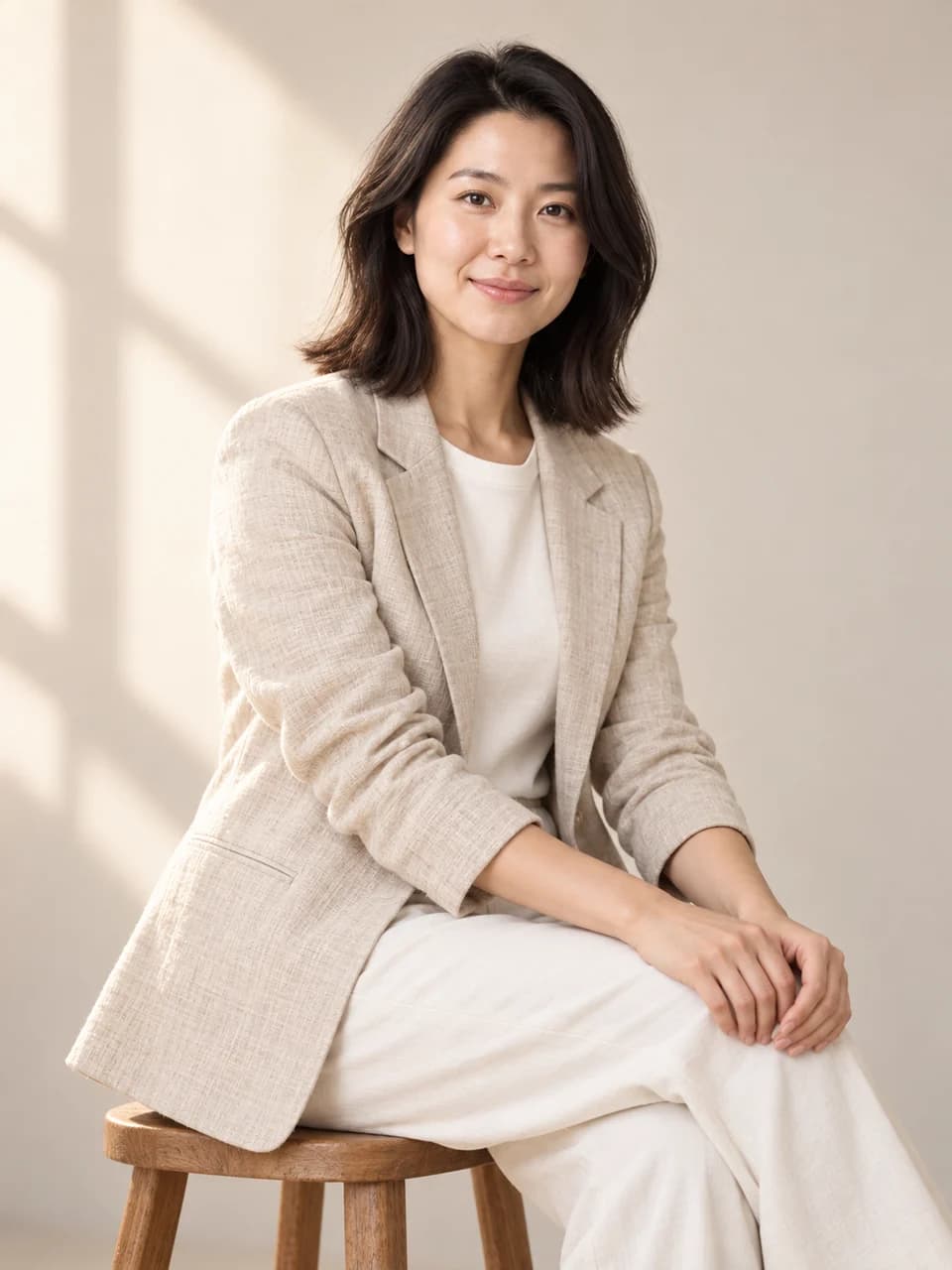
Woman in a white T-shirt and jeans against a plain studio backgroundThe same woman seated in an oatmeal blazer in a warm cream portrait studioOriginalNew photo

A studio session from an everyday photo. Your new photo appears here.

Choose a direction for your photoshoot

Start with where the portrait will be used. That choice helps you decide how much of the person to show, what the surroundings should communicate and which details need the closest review.

Refresh a personal profile photo

Compose a clear face and shoulders with a quiet background. Leave room for a circular or square crop and check the likeness at a small display size.

Keep in focus: Recognizable face, age, hairstyle and natural expression.

Explore an editorial look

Choose a setting, wardrobe and pose that tell one visual story. Use the same original for each version so the source stays consistent.

Keep in focus: The person, while deliberately varying the photography brief.

Build a full-length lookbook

Show the full outfit and both feet. Decide whether the clothes or the pose should stay fixed before requesting the next image in the set.

Keep in focus: Body proportions and the wardrobe details that matter to the series.

Start with a photo. Give it a new direction.

Ideas to try with your own photos

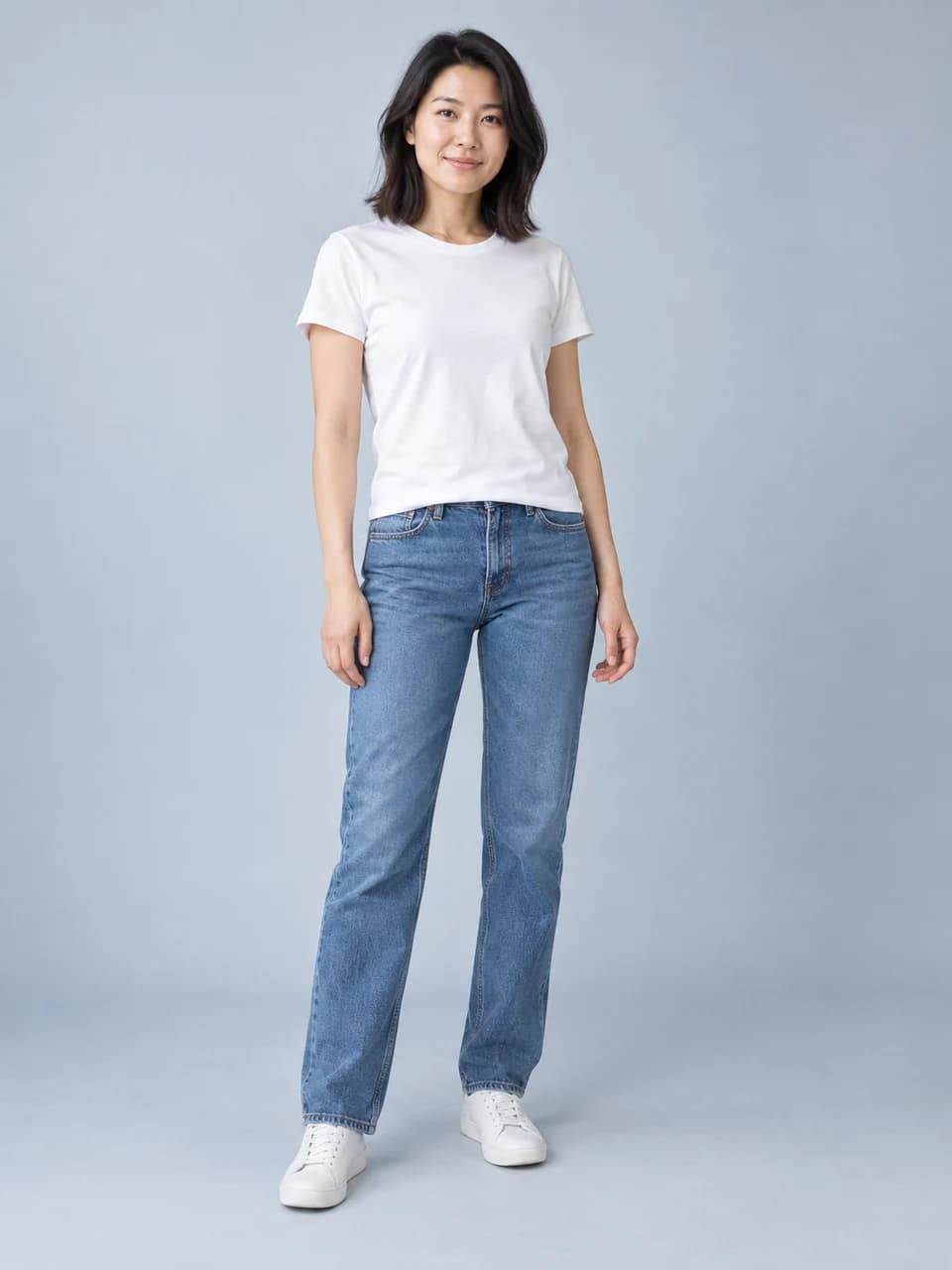
Woman in a white T-shirt and jeans against a plain studio backgroundThe same woman seated in an oatmeal blazer in a warm cream portrait studioOriginalNew photo

A studio session from an everyday photo

Move from a standing source photo to a seated editorial portrait. Describe the pose, wardrobe and light together, then compare the face with your original. A clear photography brief gives this AI photoshoot a direction beyond a different background.

View the prompt

Create a waist-up editorial portrait of the same person seated on a wooden stool in a warm cream photography studio. Oatmeal linen blazer over an ivory shirt, hands resting naturally, soft window light from the left. Keep my recognizable face, age, hair and natural skin texture. Change the pose and setting, with comfortable space around my head and shoulders.

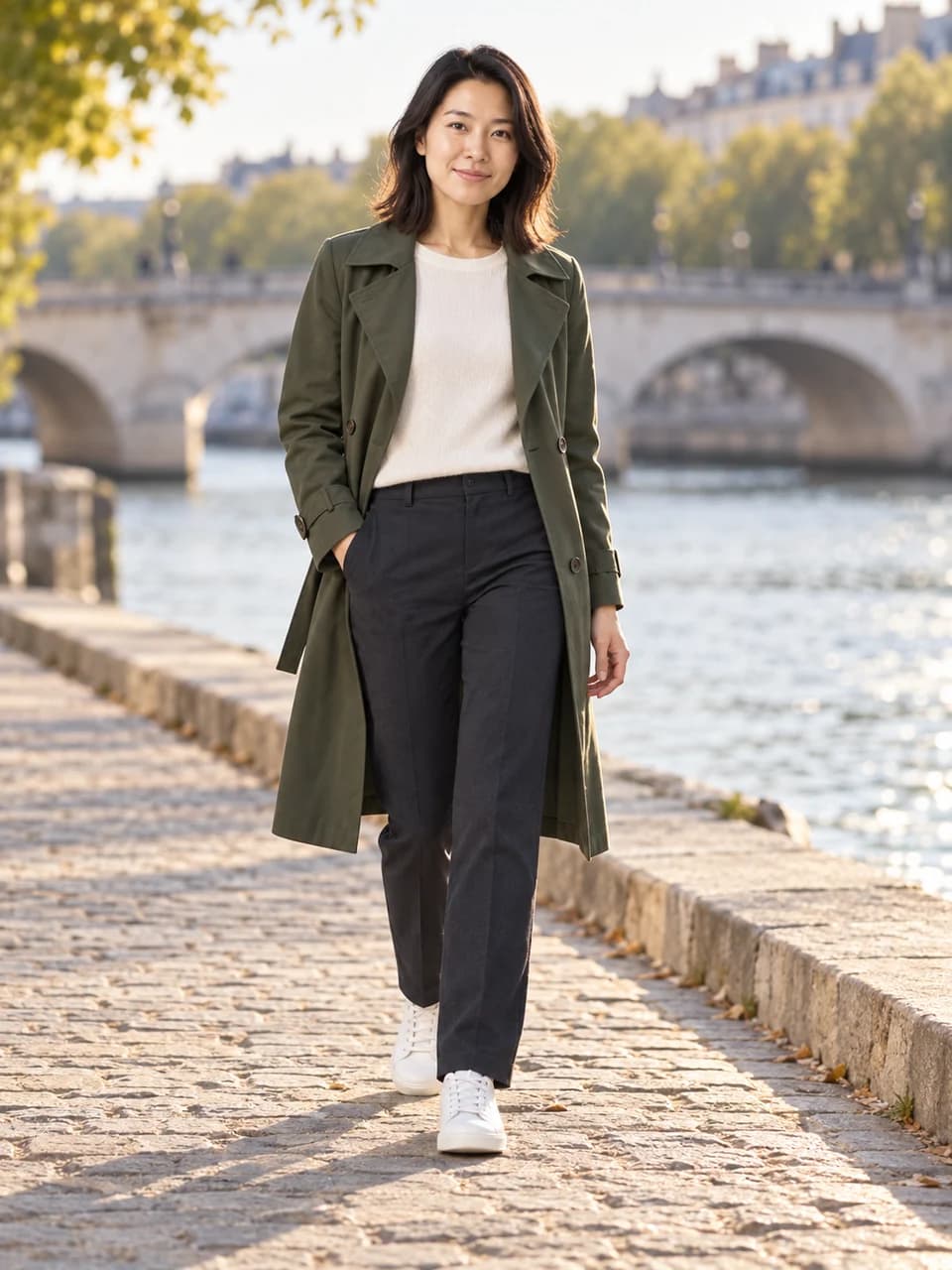
Woman in a white T-shirt and jeans against a plain studio backgroundThe same woman wearing a green trench coat on a riverside walkwayOriginalNew photo

A different place, pose and mood

Build an outdoor photoshoot around a simple action, such as walking beside the river. Ask for a full-length composition when the outfit matters. Leave space around the person so the generated photo can include hands and shoes naturally.

View the prompt

Create a full-length editorial photo of the same person walking along a quiet riverside stone walkway. Forest-green trench coat, ivory knit top, dark trousers and white sneakers. Relaxed expression, late afternoon light, softly blurred stone bridge and trees. Keep my recognizable face, age, hair and body proportions. Include both feet and natural walking posture.

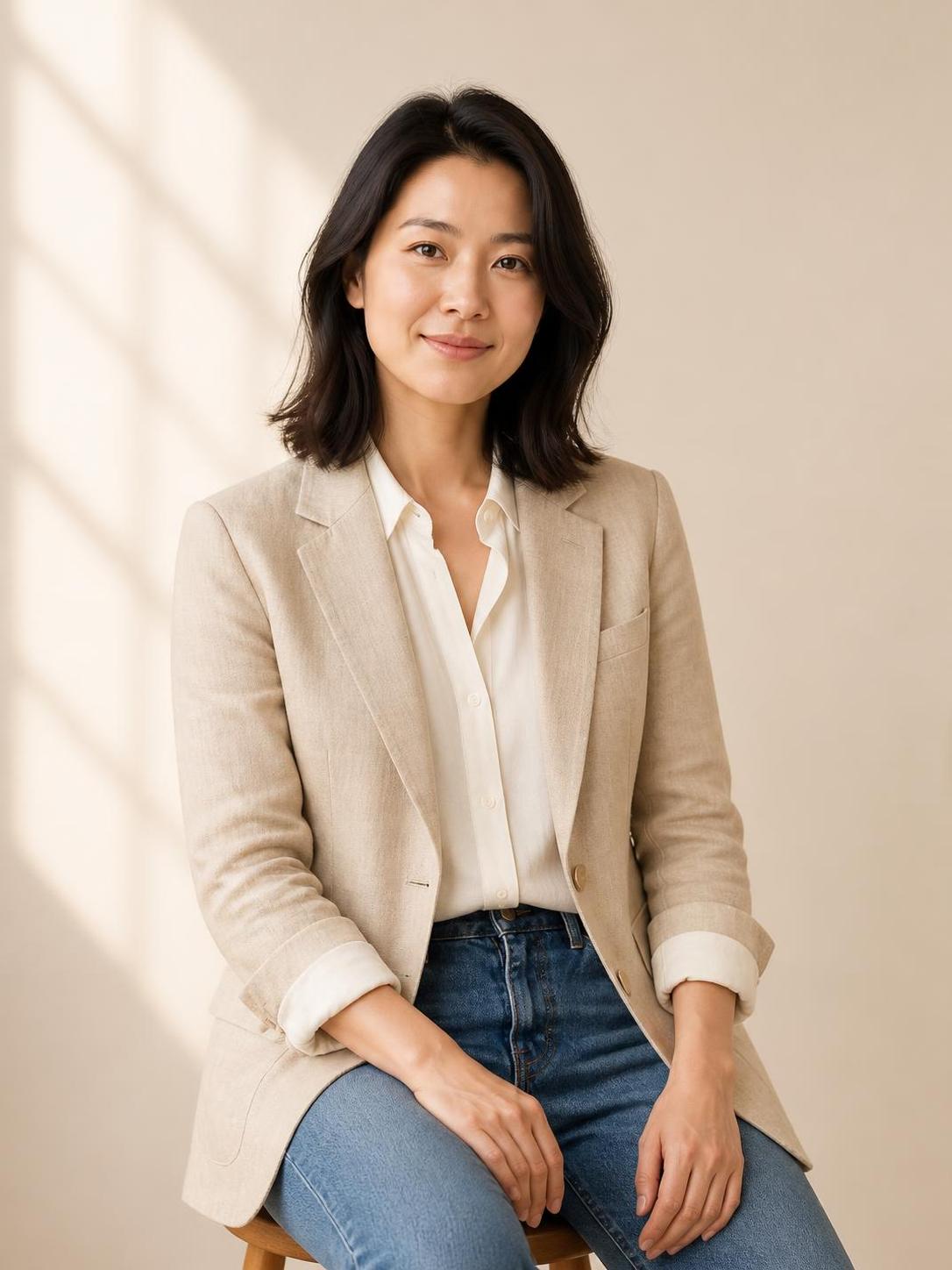
Woman in a white T-shirt and jeans against a plain studio backgroundRecorded PhotoGenerAI studio portrait of the source woman seated in a linen blazerOriginalNew photo

Recorded in PhotoGenerAI ·

A recorded studio photoshoot result

The recorded image changed the standing T-shirt source into a seated portrait with a linen blazer and soft studio light. The person remained recognizable in this example. Compare the face, hands and clothing with the original and the written brief before deciding which changes you want for your own portrait.

The source people are fictional. The returned image below can be downloaded at its recorded resolution.

Read the request used for this result

Create a waist-up editorial portrait of the same person seated on a wooden stool in a warm cream photography studio. Oatmeal linen blazer over an ivory shirt, hands resting naturally, soft window light from the left. Keep my recognizable face, age, hair and natural skin texture. Change the pose and setting, with comfortable space around my head and shoulders.

Download recorded result

How to use the ai photoshoot from your photo

01

Choose a useful source photo

Upload a sharp photo with one clearly visible face. Keep the eyes unobscured and use an image with enough detail to recognize you. For a full-body AI photoshoot, a source that includes your body and clothing gives the model more useful information than a tightly cropped selfie.

02

Write the photography brief

Choose a photoshoot starting point or describe your own scene. Include the location, framing, pose, clothing and light you want. Add an outfit or pose reference only when it helps explain the result. Name the job of each reference so its face or background is not accidentally treated as your subject.

03

Generate, compare and save

Review the model, photo shape and credit cost, then create your photo. Compare the face, age, hair and body proportions with the source. Inspect hands and clothing details before downloading. For another look, keep your original source and change one part of the photoshoot brief.

Build your photography brief

What an AI photoshoot changes

An AI photoshoot uses an existing photo as the starting point for a new photograph. You can ask for a different setting, camera distance, pose or outfit. That makes it useful when you have a photo of yourself but want a portrait that fits another mood, a personal project or a social profile.

A studio photoshoot might use a seated pose, a simple backdrop and directional window light. An outdoor photoshoot might put the same person beside a river or on a quiet street. These are new images based on your source, so review the details that matter to you rather than assuming every part of the original stayed identical.

If you only want new clothing in the same photograph, use the AI clothes changer. If the person and pose should stay while the surroundings change, use the background changer. Choose this AI photoshoot generator when the whole photography brief needs a new direction, including the composition or pose.

Build a photoshoot prompt you can refine

Start with the subject and the requested change: the same person, photographed waist-up in a warm studio. Add the pose next, such as sitting on a stool with relaxed hands. Then describe the light and the background. Specific visible details are easier to review than a long list of praise words about image quality.

State what you want to keep. Useful instructions include your recognizable face, age, hairstyle, glasses, skin tone and natural skin texture. If you want to keep the outfit, say so. If the outfit should change, describe the new garment and let the original photo guide the person rather than the clothing.

For a series, return to the same original photo for each new look. Repeatedly editing the last generated face can carry unwanted changes into later photos. Keep the identity instruction steady while changing the setting, pose or wardrobe. Review each portrait separately before treating the images as a matching set.

Choose a photo shape for its destination

A square AI portrait works well when you want a centered profile crop. A vertical photo gives a full-body outfit more room. A wider photo can leave space around the person for a landscape post. The photo shape control changes the requested output format; choose it before generating instead of relying on a tight crop afterward.

Keep breathing room around the head, shoulders and shoes. A portrait that looks balanced on its own can lose a hand or the top of a hairstyle when it is cropped into a circle. Tell the AI photoshoot generator where the important subject should sit in the frame, and check the intended crop before posting.

Download a photo you want to keep. Saved creations remain in your private history for 30 days, and a guest's history belongs to that browser. The history is useful for returning to an idea, but your own downloaded originals and final photos are the practical way to keep a lasting photoshoot collection.

Prompts you can adapt

Choose the brief closest to your goal. Use it with your uploaded photos, replace the scene details and review the request before generating.

An editorial studio portrait

A simple seated pose, neutral wardrobe and directional light make the brief specific. Review the face and hands before exploring a more elaborate scene.

Create a waist-up editorial portrait of the same person seated on a wooden stool in a warm cream photography studio. Oatmeal linen blazer over an ivory shirt, hands resting naturally, soft window light from the left. Keep my recognizable face, age, hair and natural skin texture. Change the pose and setting, with comfortable space around my head and shoulders.

A full-length outdoor photo

Use a source with enough body detail when the outfit and posture matter. Ask for both feet and leave room around the subject.

Create a full-length editorial photo of the same person walking along a quiet riverside stone walkway. Forest-green trench coat, ivory knit top, dark trousers and white sneakers. Relaxed expression, late afternoon light, softly blurred stone bridge and trees. Keep my recognizable face, age, hair and body proportions. Include both feet and natural walking posture.

A relaxed everyday portrait

Keep the existing outfit and change the setting and posture. This is a useful starting point when you want an ordinary, less staged photograph.

Photograph the same person sitting at a small cafe table beside a window. Keep the original outfit and recognizable face, age and hairstyle. Relaxed candid posture, a natural expression, soft daylight and a softly blurred background. Make it feel like an ordinary well-taken photo, with visible skin texture and no heavy retouching.

Refine a result that misses your brief

Compare the result with the originals and identify the main mismatch. Change that part of the brief first so the next image is easier to evaluate.

The portrait no longer looks like you

What to inspect
Compare the eyes, nose, jaw, hairline and age with the source. Look at the face at full size rather than judging only the overall mood.
What to change next
Return to the original photo, name the features you want to retain and simplify the scene. Avoid carrying an altered face through several successive edits.

The pose or hands look awkward

What to inspect
Trace each arm to its shoulder. Inspect fingers, elbows, the seat or ground contact and the way clothing follows the body.
What to change next
Ask for a relaxed pose with the hands resting naturally and separately. For a full-length image, request a grounded stance and both feet within the frame.

The photograph looks too heavily retouched

What to inspect
Inspect skin, hair and fabric at full size. Check whether highlights, texture and depth feel consistent across the face and clothing.
What to change next
Request natural skin texture, ordinary camera light and a relaxed expression. Remove instructions that ask for heavy beauty retouching or an overly polished finish.

The result does not fit the intended crop

What to inspect
Check the image at its destination: a circular avatar, vertical post or wider layout. Note which important details the crop would remove.
What to change next
Choose the output shape before generating and ask for breathing room around the head, shoulders and shoes. Preview the intended crop before posting.
Woman in a white T-shirt and jeansBefore
The same woman in a warm studio portraitAfter

More ways to create

Your next photo starts here

Describe a new scene or try a different edit with our AI photo generator. Upload a source, add references and give the picture a new direction.

AI Photoshoot from Your Photo questions

Read our Privacy Policy for image processing and storage details.

Ready to try your own photo?

Create my photoshoot