
PhotoGenerAI

AI Clothes Changer

Change clothes in your photo with a prompt or a clothing reference. Try a new outfit, swap one garment, or compare colors.

Start with free credits. No account required.

Explore outfit examples

Or try a sample photo

Optional
Model, photo shape & credit cost
Photo shape
3. Your outfit idea

Name the clothes and colors to change. Keep or edit the instructions about your face, pose and background.

Your new outfit
Man in a gray T-shirt in a bright office loungeThe same man in a charcoal blazer and white shirtBeforeAfter

Drag to compare. Your new outfit appears here.

Your photo. A whole new wardrobe.

Use a clothing photo for a specific look, describe an outfit from scratch, or change one detail. Start with the task you have in mind.

Try on the clothes you choose

Bring a garment photo into the picture. Use a clothing reference to guide the neckline, sleeves, color and print, then preview the look on your own photo.
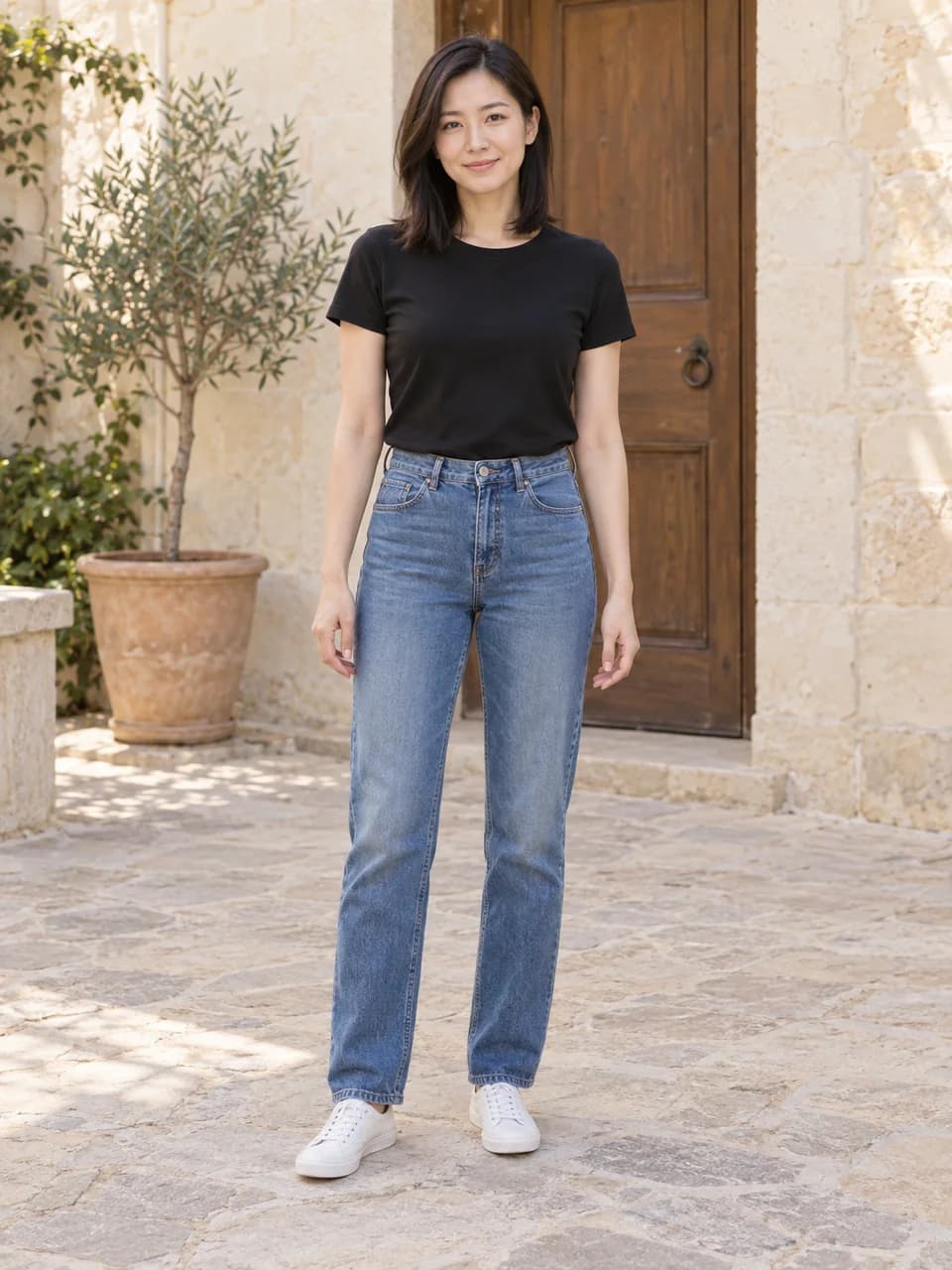
Woman in a black T-shirt and jeans in a stone courtyard
Your photo
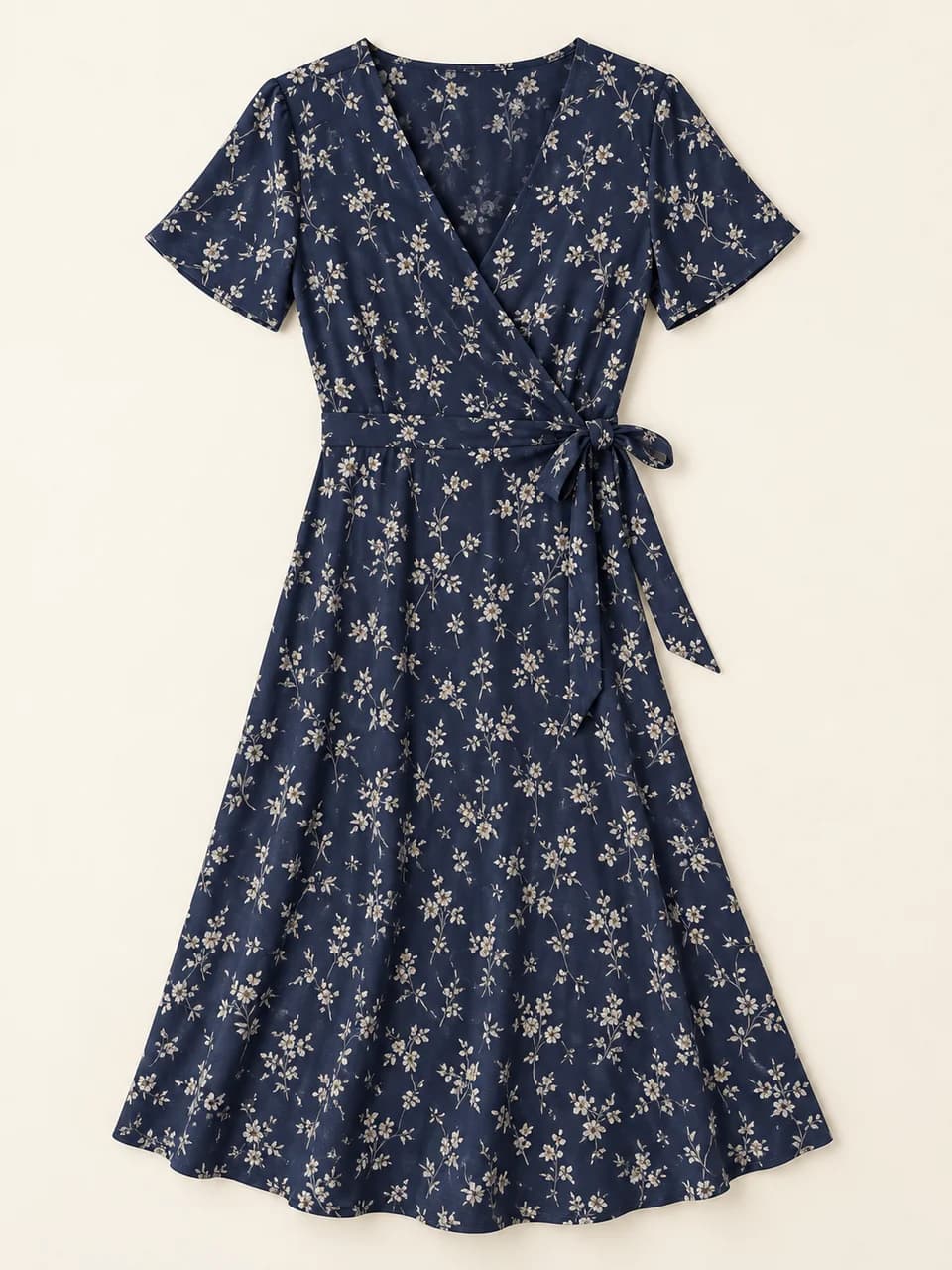
Navy wrap midi dress with an ivory floral print, V neckline and short sleeves
Clothing reference
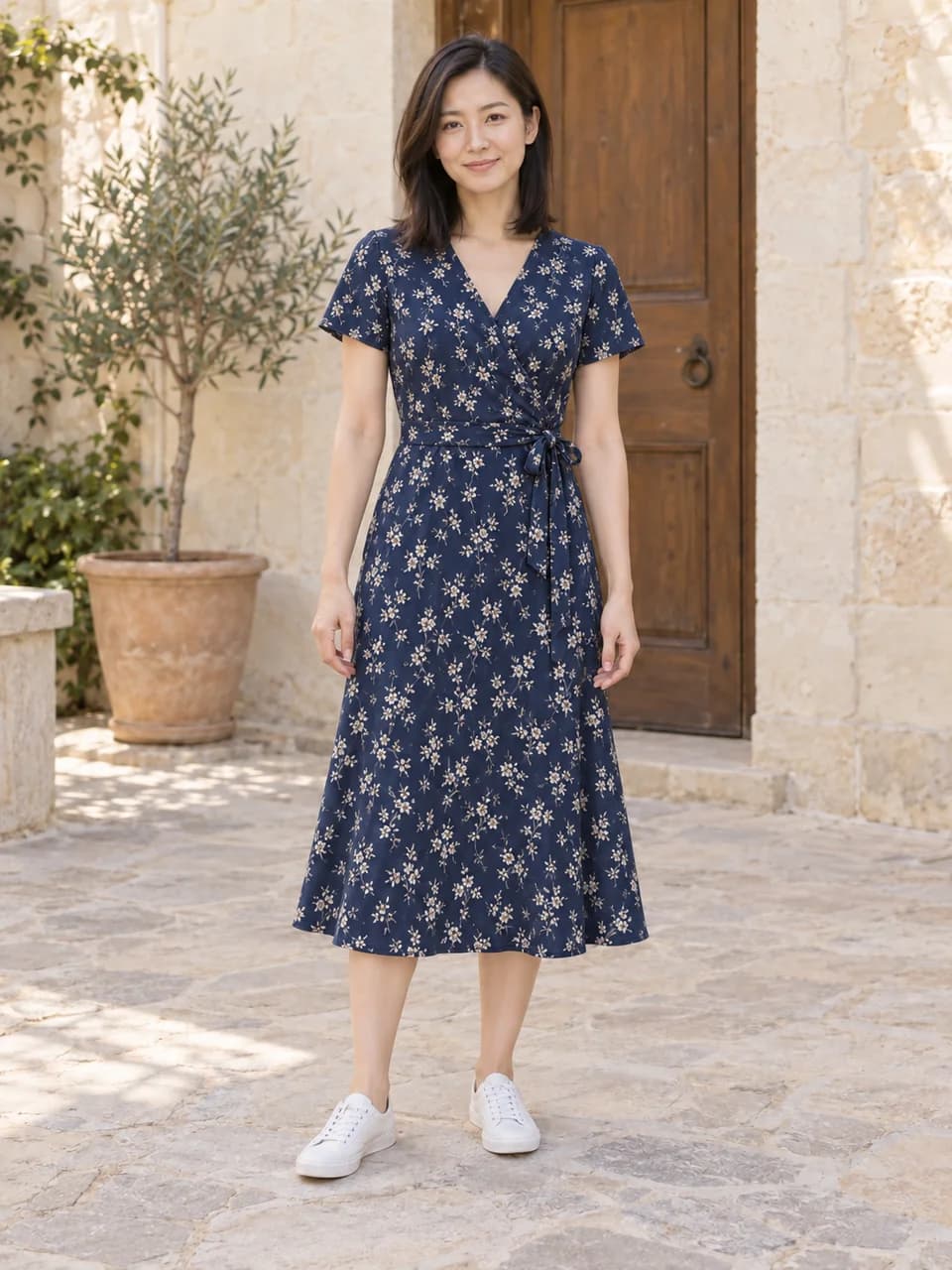
The same woman wearing the navy floral wrap dress from the reference
New outfit

For several references, name which image supplies the top, trousers or dress.

See the reference outfit prompt

Dress the person in the first photo in the garment shown in the clothing reference. Match its color, neckline, sleeves, length and pattern. Replace the relevant clothes and keep the shoes. Keep the person's face, hair, body proportions, pose, hands, framing, background and lighting. Change only the specified clothing, with realistic fabric and folds.
Man in a gray T-shirt in a bright office lounge
Before
The same man in a charcoal blazer and white shirt
After

Change a casual photo into a business look

Try a blazer and shirt for a profile photo, speaker bio or team portrait. Describe the outfit while keeping the original setting and pose.

See the prompt

Replace the top with a tailored charcoal blazer over a white cotton button-up shirt. Keep the trousers unchanged. Keep the person's face, hair, body proportions, pose, hands, framing, background and lighting. Change only the specified clothing, with realistic fabric and folds.
A waist-up photo is enough when you only need to change a shirt or jacket.

Explore an outfit for your next event

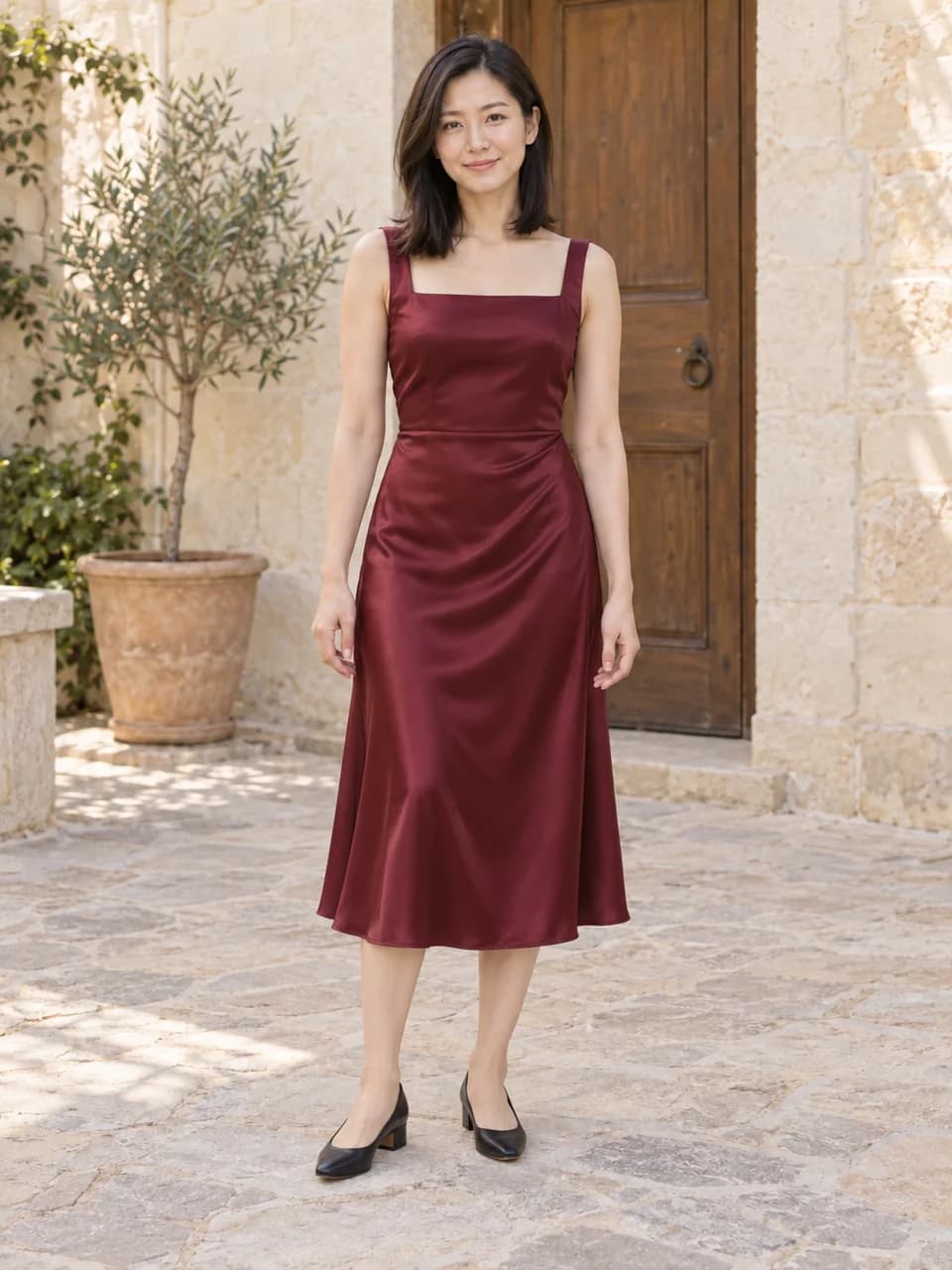
Swap everyday clothes for an evening dress. A full-body photo lets you compare the neckline, skirt length and shoes together.

See the prompt

Replace the T-shirt and jeans with a burgundy satin midi dress with a modest square neckline, wide shoulder straps and a softly draped skirt. Add black low-heeled shoes. Keep the person's face, hair, body proportions, pose, hands, framing, background and lighting. Change only the specified clothing, with realistic fabric and folds.
Include fabric and length: burgundy satin, a square neckline and a midi skirt.

Woman wearing a black T-shirt, jeans and white sneakersThe same woman in a burgundy satin midi dress and black shoesBeforeAfter

Drag to compare the full outfit.

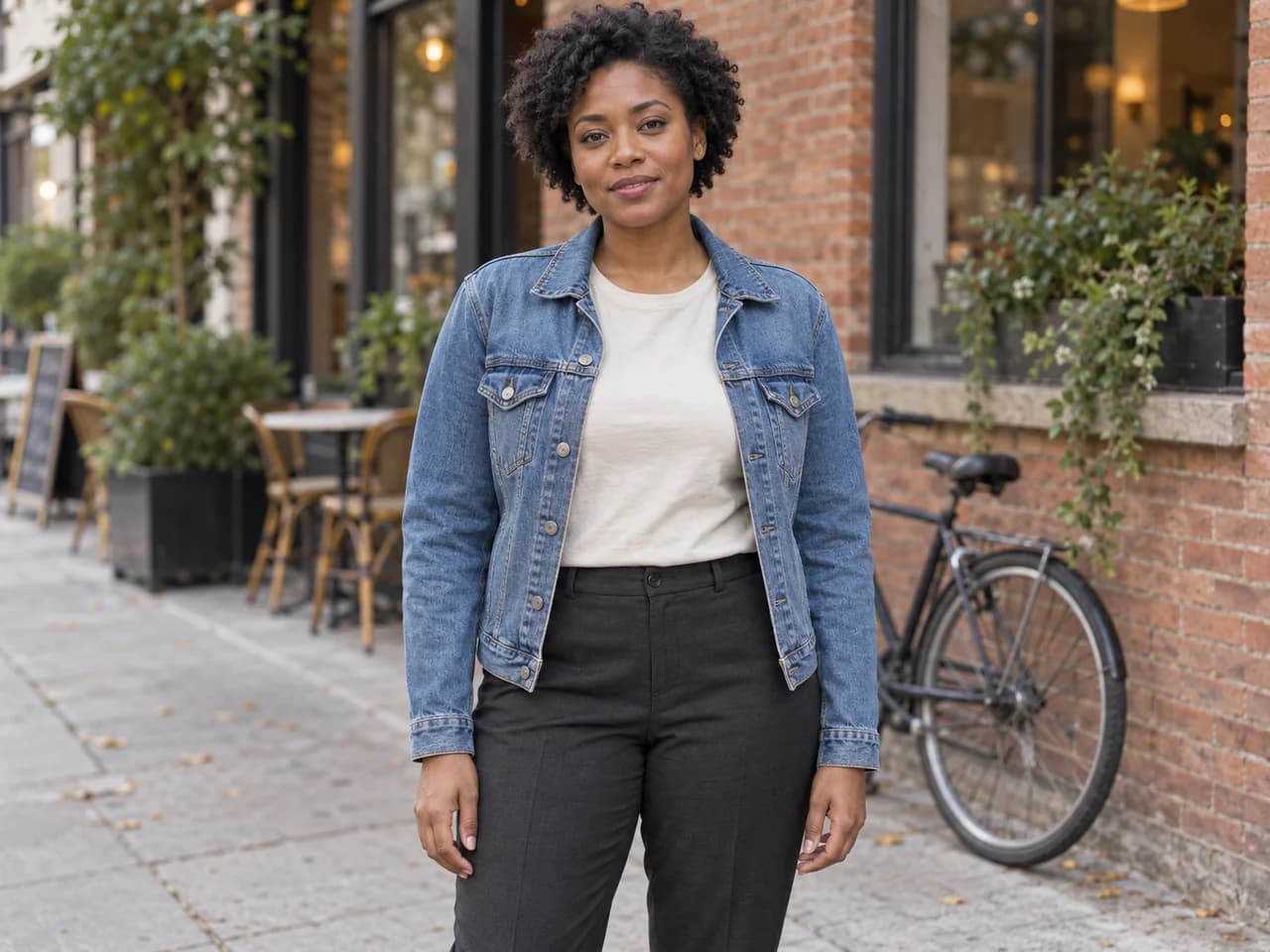
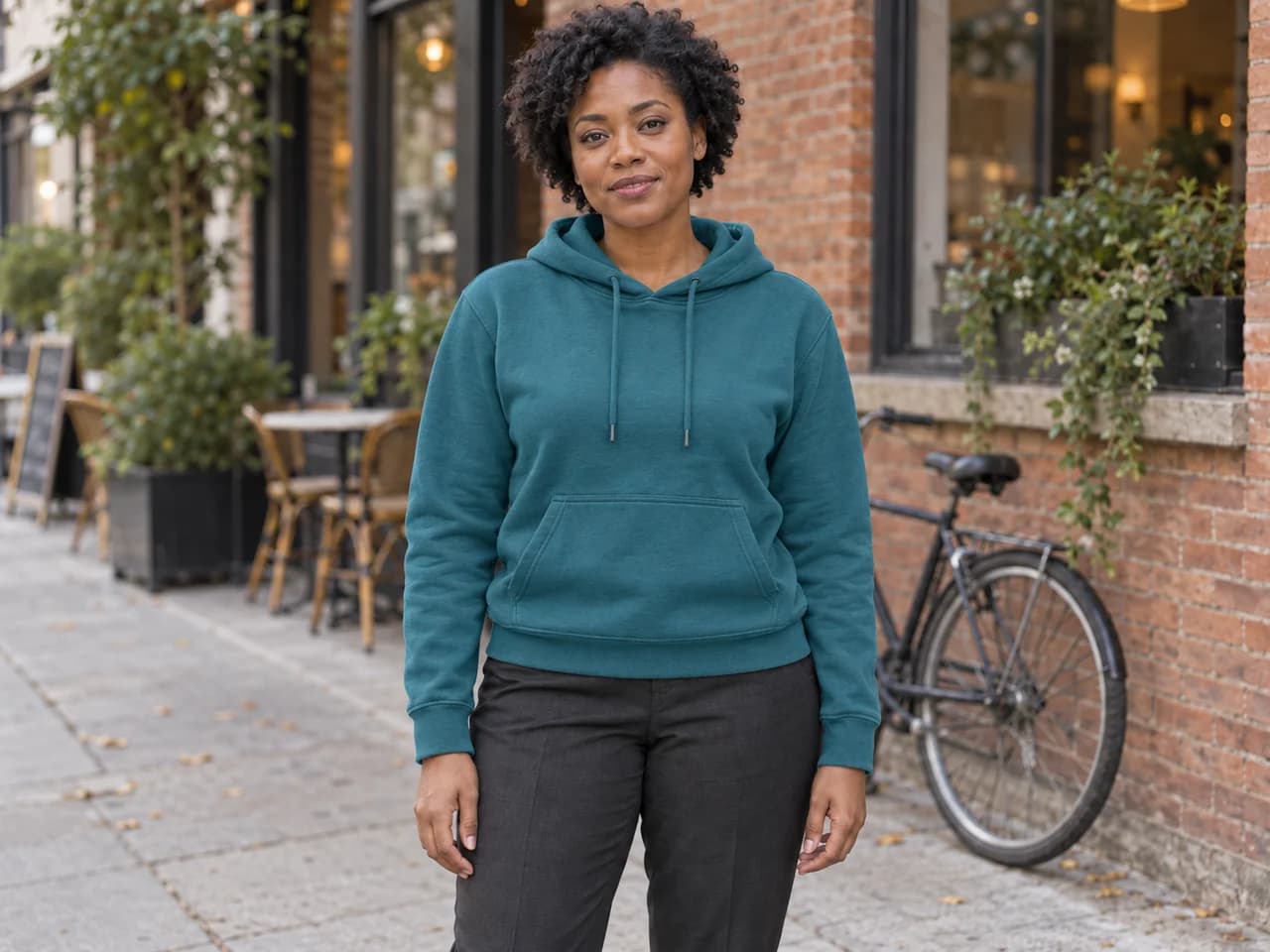
Woman in a denim jacket on a city street
Before
The same woman wearing a teal hoodie on the same street
After

Make a new look for a street photo

Try a different casual style for social posts or a personal lookbook. Change a layer, choose a color and keep the street scene as the backdrop.

See the prompt

Replace the jacket and top with a relaxed teal hoodie. Keep the trousers and shoes unchanged. Keep the person's face, hair, body proportions, pose, hands, framing, background and lighting. Change only the specified clothing, with realistic fabric and folds.
Describe the layer to replace so an old jacket does not remain over the new top.

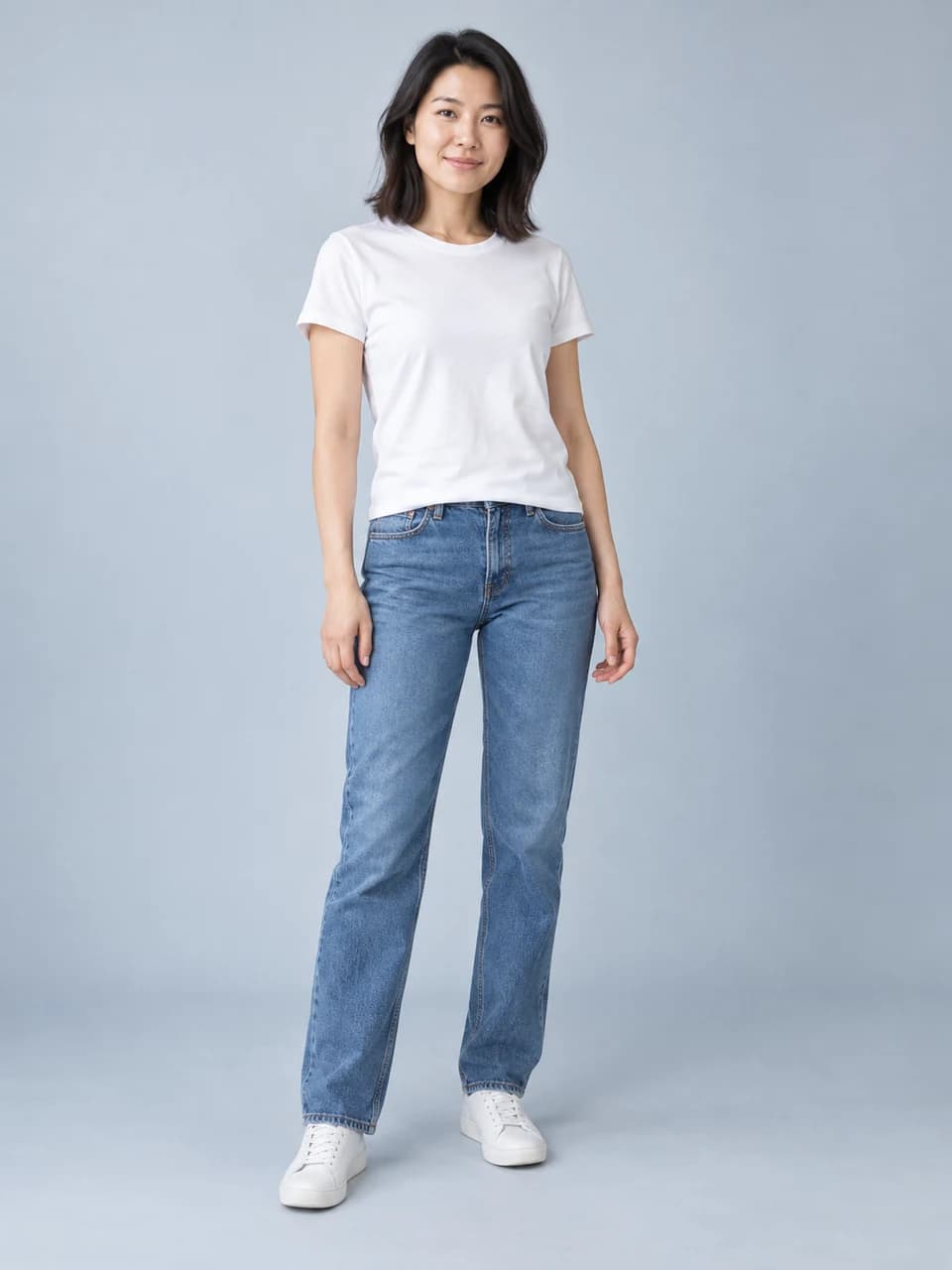
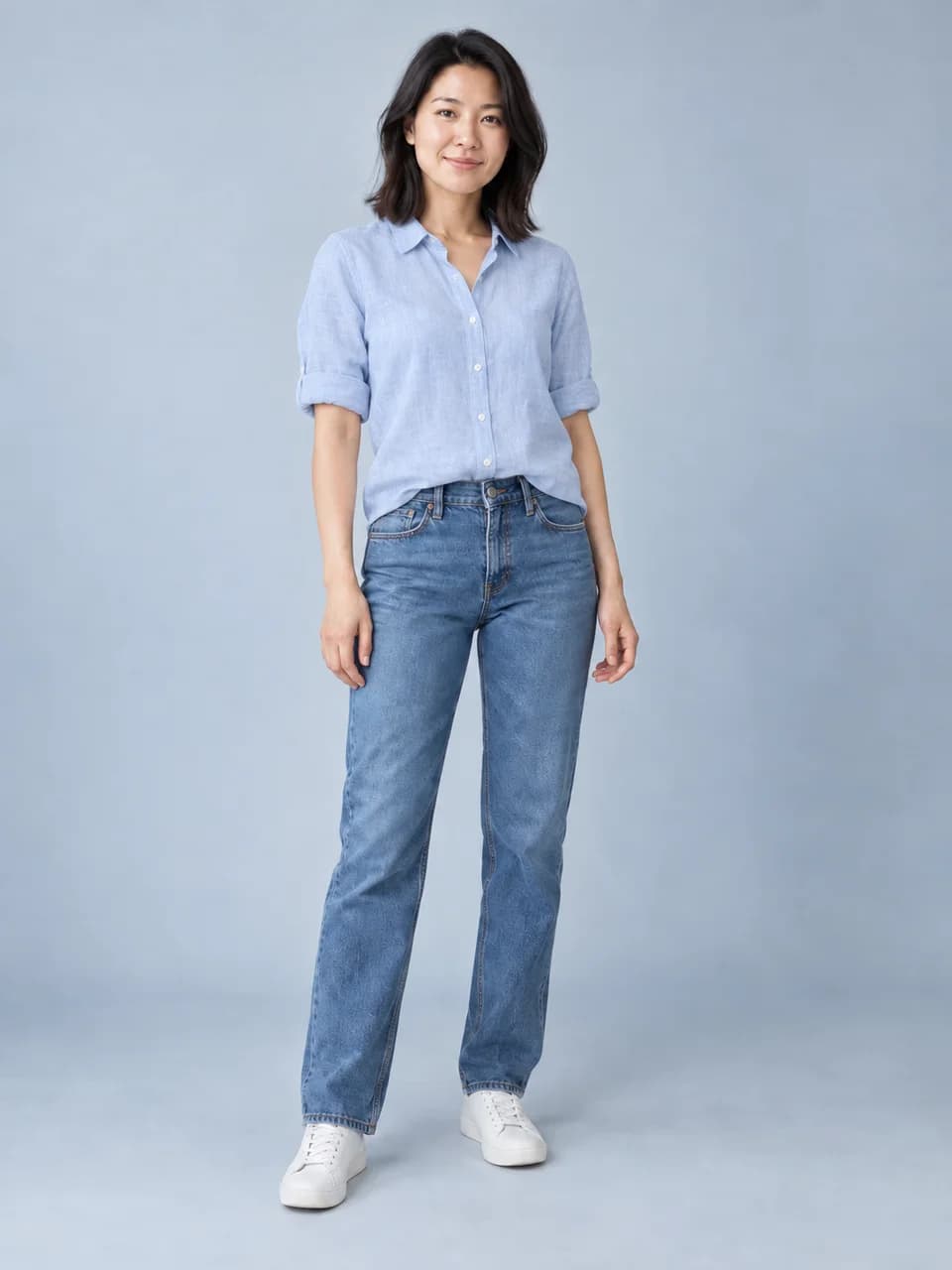
Woman in a white T-shirt and jeans against a studio backgroundThe same woman in a pale-blue linen shirt with the same jeansBeforeAfter

Swap one garment, keep the rest

Change a T-shirt into a linen shirt without redesigning the entire outfit. Name the item to replace and the clothes to keep.

See the prompt

Replace only the T-shirt with a pale-blue linen button-up shirt, sleeves rolled to the elbows. Keep the jeans and shoes unchanged. Keep the person's face, hair, body proportions, pose, hands, framing, background and lighting. Change only the specified clothing, with realistic fabric and folds.
Try: Change only the shirt. Keep the jeans, shoes, face, pose and background.

Woman wearing a white cotton T-shirt
Before
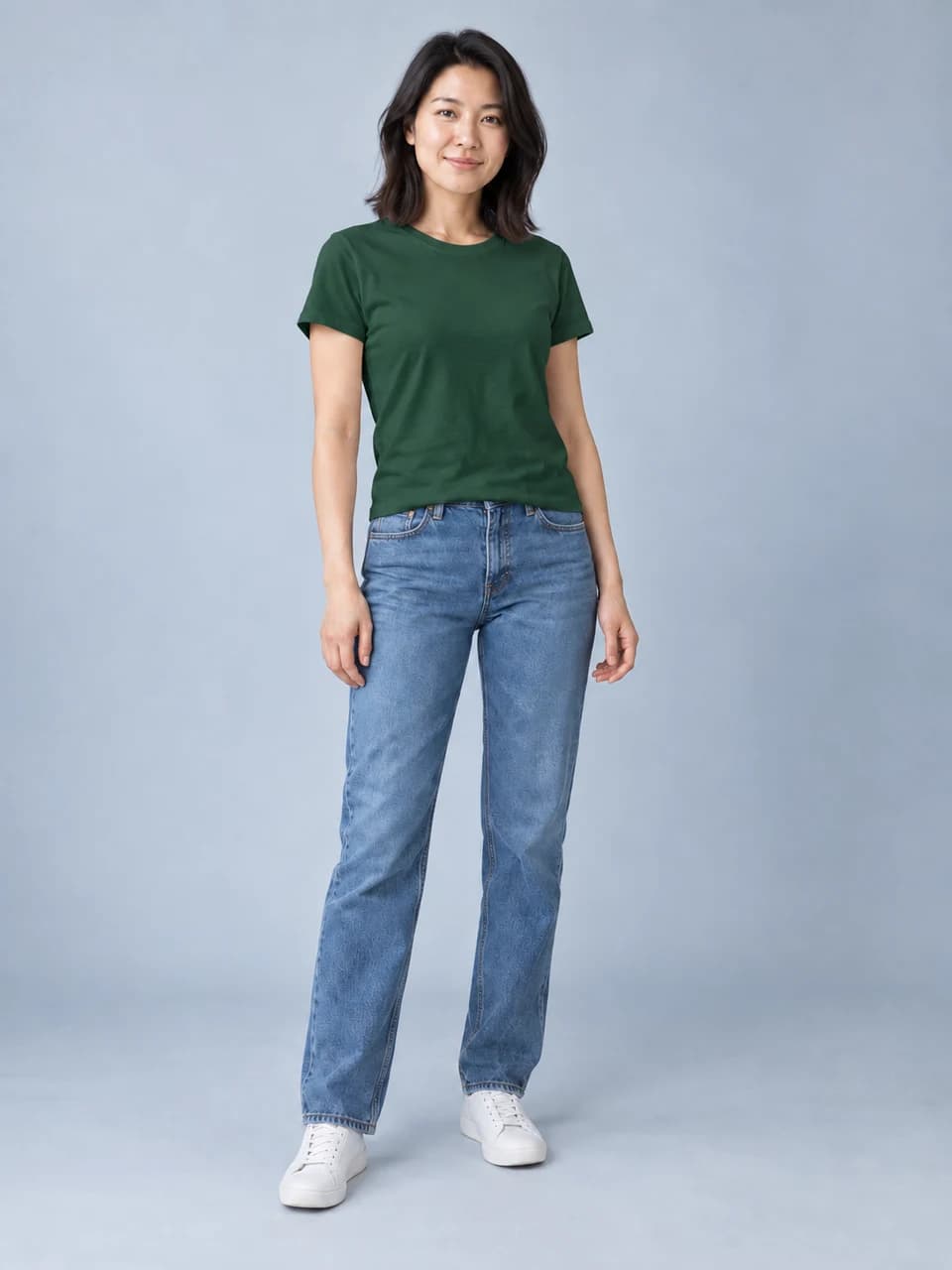
The same woman with her cotton T-shirt recolored forest green
After

Compare colors on the same clothes

See a different shade on a garment you already like. Keep the cut and fabric in the instructions so the edit focuses on color.

See the prompt

Change only the T-shirt to forest green. Keep its original cut, material, seams and folds. Leave the rest of the outfit unchanged. Keep the person's face, hair, body proportions, pose, hands, framing, background and lighting. Change only the specified clothing, with realistic fabric and folds.

Use a specific shade such as forest green, cream or dusty blue.

How to change clothes in a photo

  1. Step 1

    Upload your photo

    Choose a clear photo of one person. Add a clothing reference if you have a specific garment, or go straight to describing your outfit.

  2. Step 2

    Choose or describe an outfit

    Pick an idea, then name the garments, colors and fabric. For a small change, say which item to replace and which clothes to keep.

  3. Step 3

    Generate, compare and download

    Check the model and credit cost, then generate. Continue editing to explore another look, or download your favorite result.

Choose the right photos for your outfit swap

Show the area you want to dress and give the AI a clear view of the garment. These small choices make your instructions easier to follow.

Your photo: show the clothes you want to change

  • Use one person in even light, with a clearly visible face and outfit.
  • Choose waist-up framing for a shirt or blazer. Include the full body for a dress, trousers or shoes.
  • Keep bags, crossed arms and other objects from covering the garment.

Clothing reference: show the details to match

  • Choose a clear product photo, flat lay or photo of someone wearing the garment.
  • Include the neckline, sleeves and hem. A single garment is easier to describe than a collage.
  • For a model photo, say which piece to use. For several images, assign a garment to each reference.

Write a prompt you can refine

Start with the garment, then add color, material and cut. Finish with the details to keep.

“Change only my shirt to a pale-blue linen button-up with rolled sleeves. Keep my jeans, shoes, face, pose and background.”

For virtual try-on, add a clothing photo and describe the details you want to match. Use the preview to explore a look; use a size chart and measurements to decide physical fit.

New to outfit editing? Follow our step-by-step guide to changing clothes in a photo for photo tips, prompts and a clothing reference walkthrough.

Man wearing a casual gray T-shirt in an officeBefore
The same man wearing a charcoal blazer and white shirtAfter

Keep creating

Create the rest of the picture

Have another change in mind? Try the AI photo generator. Edit the surroundings, combine references or create an image from a written idea in the same workspace.

AI clothes changer questions

Read our Privacy Policy for image processing and storage details.

PhotoGenerAI

Try the outfit you have in mind

Start with your photo. Describe a new look or add the clothing reference you want to try.

Change my outfit