
PhotoGenerAI

Photo editing in your own words

Free AI Photo Editor

Upload a photo and describe what you want to change. Remove a distraction, brighten a face, or replace the background while giving clear instructions about what to keep.

10 free credits every day. No account required.

Aspect ratio
Edited photo
Waterfront portrait with a green bottle and crumpled napkin on the tableThe same waterfront portrait with a clear stone tabletopBeforeAfter

Remove the distraction, keep the memory

Remove the green bottle and crumpled napkin on the right side of the table. Keep the woman, her face, clothing, pose, background, and lighting unchanged. Fill the space with the existing stone tabletop.

Hover or drag to compare · 1 of 3

Before and after

Small edits that make a photo worth keeping

Start with the part that bothers you: an object in the way, a face lost in shadow, or a busy background. Give each edit a clear target and name the details you want to keep.

Waterfront portrait with a green bottle and crumpled napkin on the tableBefore
The same waterfront portrait with a clear stone tabletopAfter

Remove the distraction, keep the memory

A stray bottle can pull attention away from an otherwise good portrait. Name the object and where it sits so the edit has a clear target.

Edit prompt

Remove the green bottle and crumpled napkin on the right side of the table. Keep the woman, her face, clothing, pose, background, and lighting unchanged. Fill the space with the existing stone tabletop.

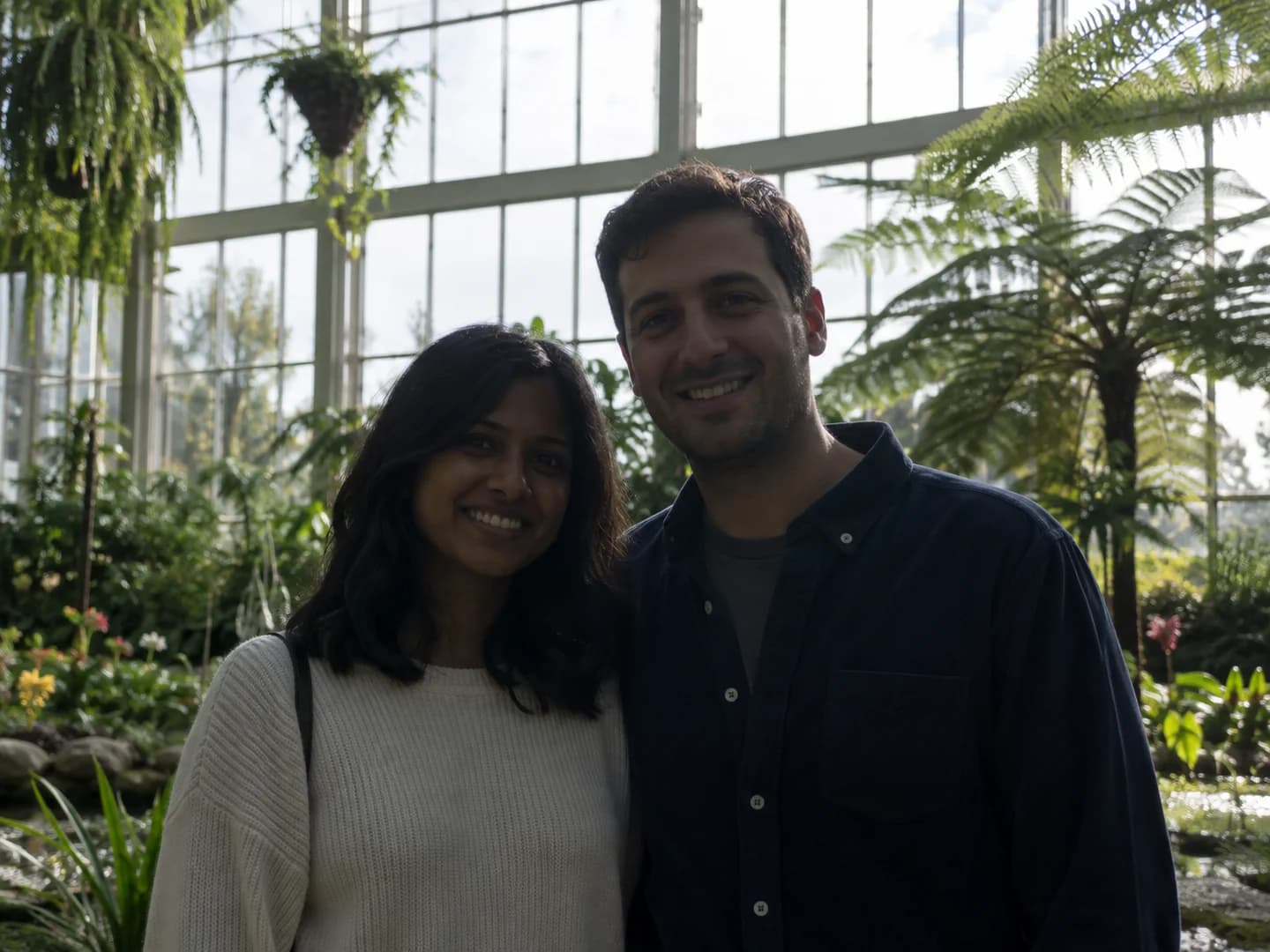
Couple in a greenhouse with their faces underexposed against bright windowsBefore
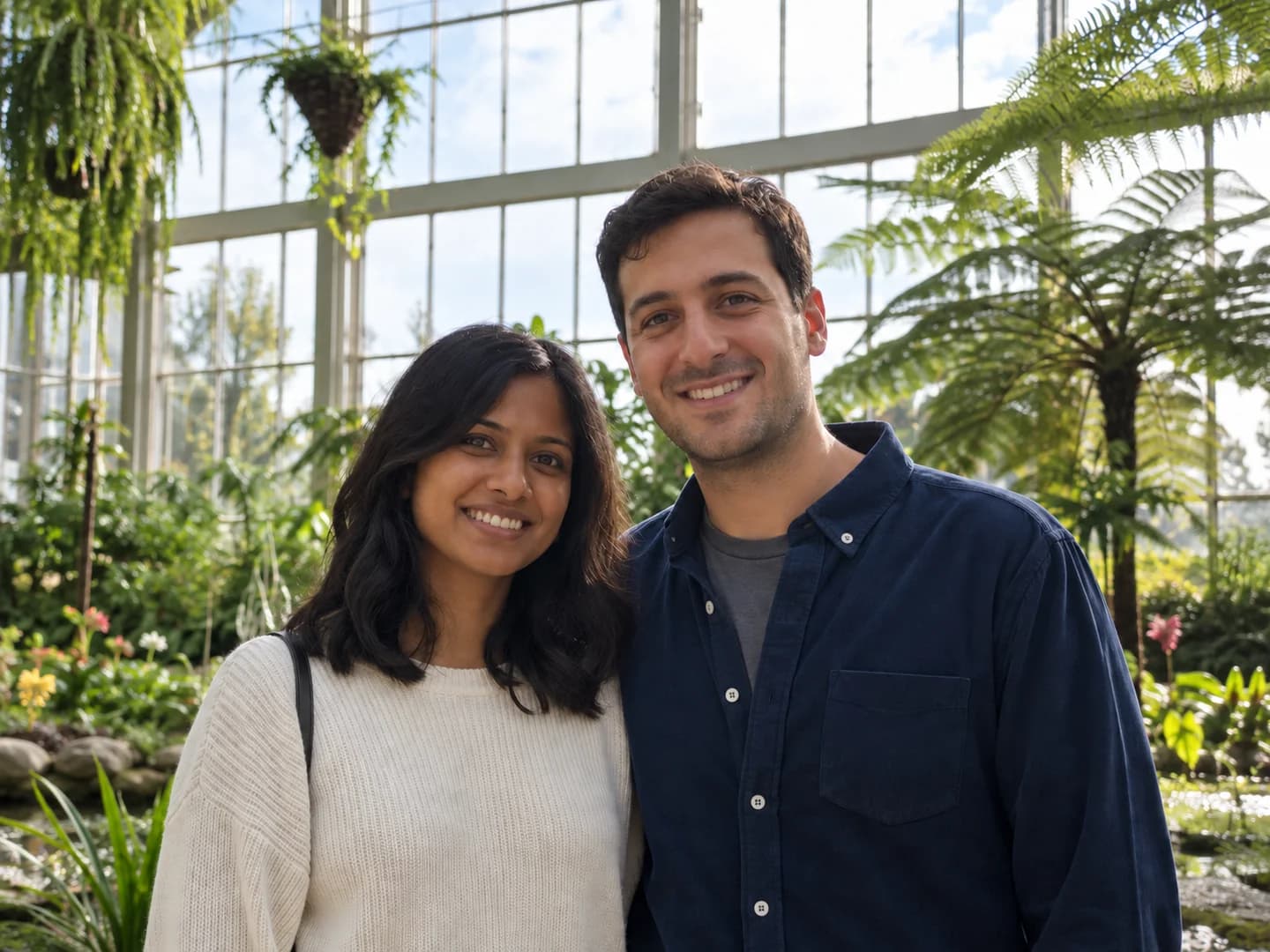
The same couple with brighter faces and natural greenhouse lightingAfter

Bring a backlit photo out of the shadows

Ask for light where it is missing, instead of brightening the whole frame. Faces should be easier to see without losing the atmosphere around them.

Edit prompt

Brighten both faces with soft natural fill light. Keep the window highlights, skin texture, expressions, clothing, and background. Do not smooth the skin or change facial features.

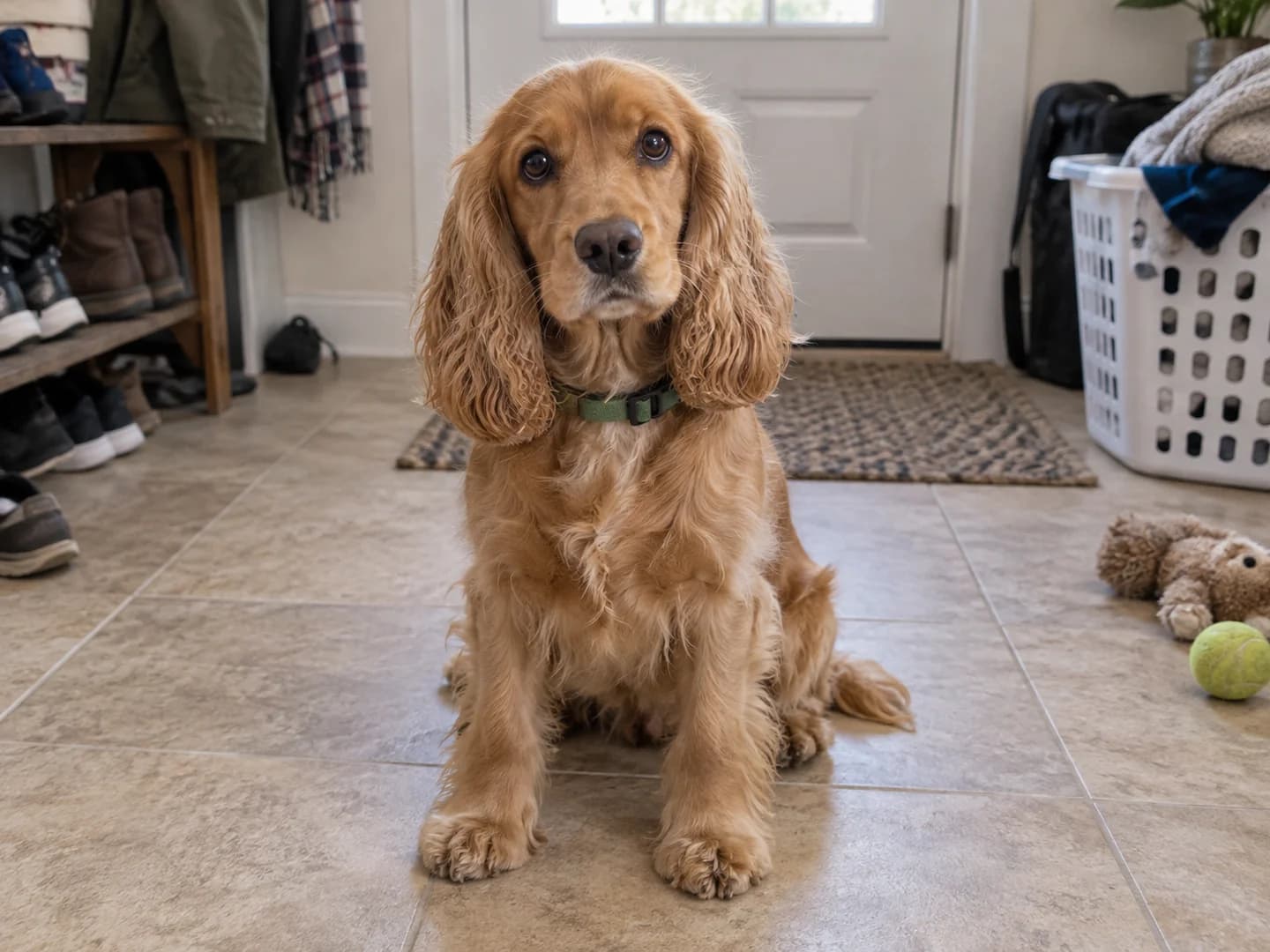
Golden cocker spaniel sitting in an entryway with shoes and a laundry basketBefore
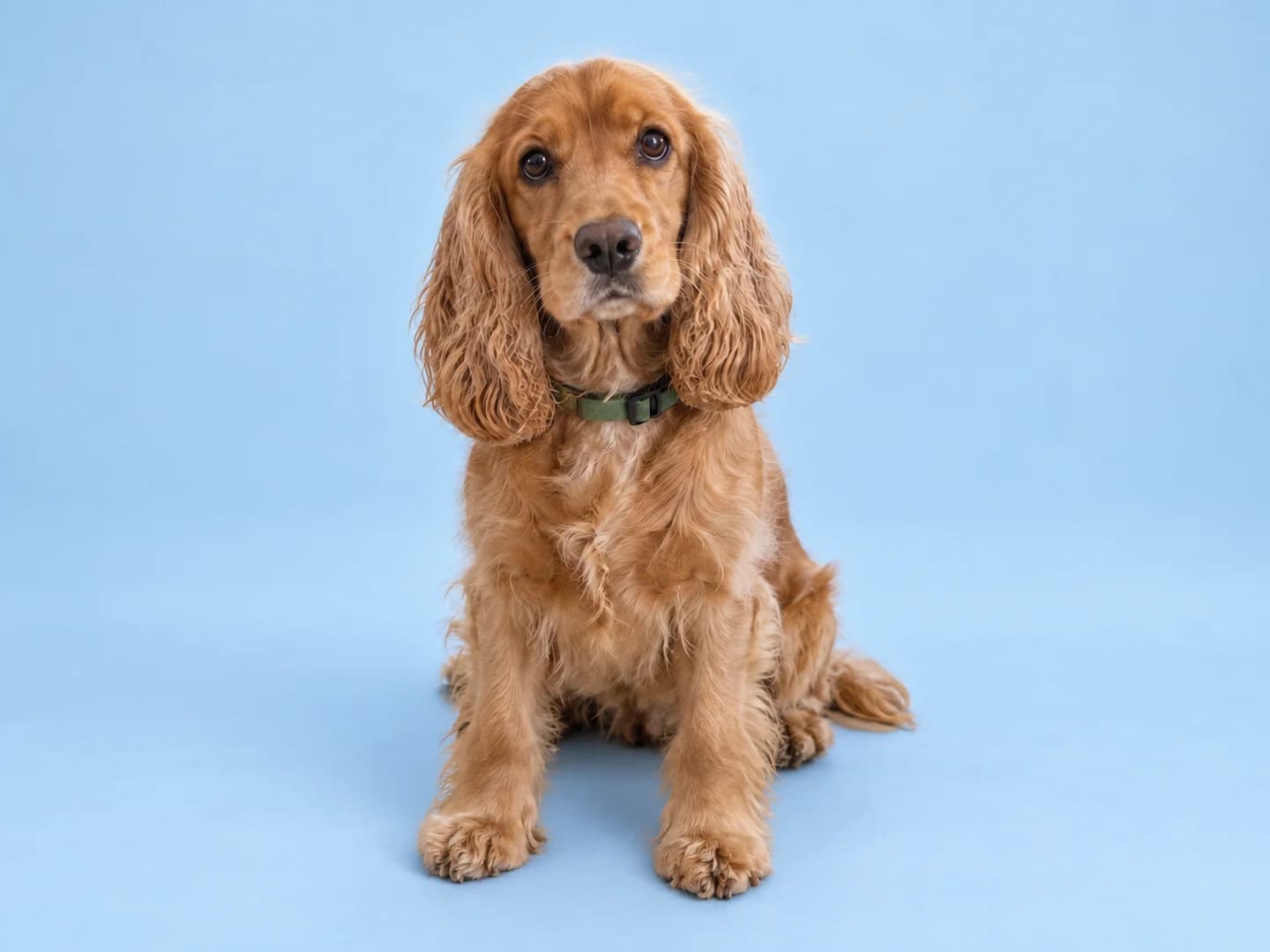
The same golden cocker spaniel against a pale blue studio backdropAfter

Give a favorite subject a simpler background

A calmer setting makes the subject easier to notice. Describe the new backdrop and ask for a contact shadow so the result does not look like a cutout.

Edit prompt

Replace the entryway with a pale sky-blue studio background and floor. Keep the dog's face, fur, green collar, pose, and framing. Add a soft contact shadow beneath the paws.

Dog photographed in a cluttered entrywayBefore
Dog against a pale blue studio backgroundAfter

From new ideas to finished edits

Start with a photo—or make one

Need to create a photo before editing one? Open our online AI photo generator to build a new image from words or combine visual references. You can return here when you have a photo ready for a focused edit.

Three steps

How to edit a photo with AI

You bring the photo and the direction. There are no layers or brush selections to set up in this tool.

  1. 01

    Upload the original

    Choose the clearest version of your photo. The editor needs an uploaded image; a text prompt alone will not start an edit.

  2. 02

    Describe one change

    Name what needs editing and where it appears. Then say which details should stay, such as a face, outfit, or background.

  3. 03

    Review and download

    Compare the result with your original. If a detail changed unexpectedly, refine the instruction and try again. Download the version you want to keep.

Better edit prompts

Tell the editor what to change—and what to leave alone

“Make this better” leaves a lot to interpretation. A useful edit request names a target, a location, and the parts of the original that matter to you.

Target
The green bottle and crumpled napkin
Location
On the right side of the table
Keep
The woman, her face, pose, and existing light
Replacement
The same stone tabletop
Waterfront portrait with a green bottle and crumpled napkin on the tableBefore
The same waterfront portrait with a clear stone tabletopAfter

Complete edit prompt

Remove the green bottle and crumpled napkin on the right side of the table. Keep the woman, her face, clothing, pose, background, and lighting unchanged. Fill the space with the existing stone tabletop.

The same couple with brighter faces and natural greenhouse lighting

Know what to check

Keep the person looking like themselves

A better-lit face is useful only if it still looks like the person you photographed. AI may redraw details outside the requested edit, so treat the original as your reference when reviewing the result.

  • Compare eyes, teeth, hair, hands, and skin texture at full size.
  • Check the edges around removed objects and replaced backgrounds.
  • Keep your original file. Use a conventional editor when exact pixels or untouched areas are essential.

A good photo can still need one small fix

Sometimes the photo is already the one you want: the faces are just too dark, or the background pulls attention away. These public editing requests point to a practical need—change the distracting part without reinventing the subject. Here, you can upload that photo, describe the adjustment, and compare the result with your original before saving it.

Unfortunately, the only photo of my gf and I came out too dark.

r/PhotoshopRequestRead original

Please get rid of the background and make it sky blue or whatever will make it look lovely.

r/PhotoshopRequestRead original

AI photo editor questions

PhotoGenerAI

What would you change about your photo?

Start with one edit. Upload your photo and describe the part you want to improve.

Edit a photo